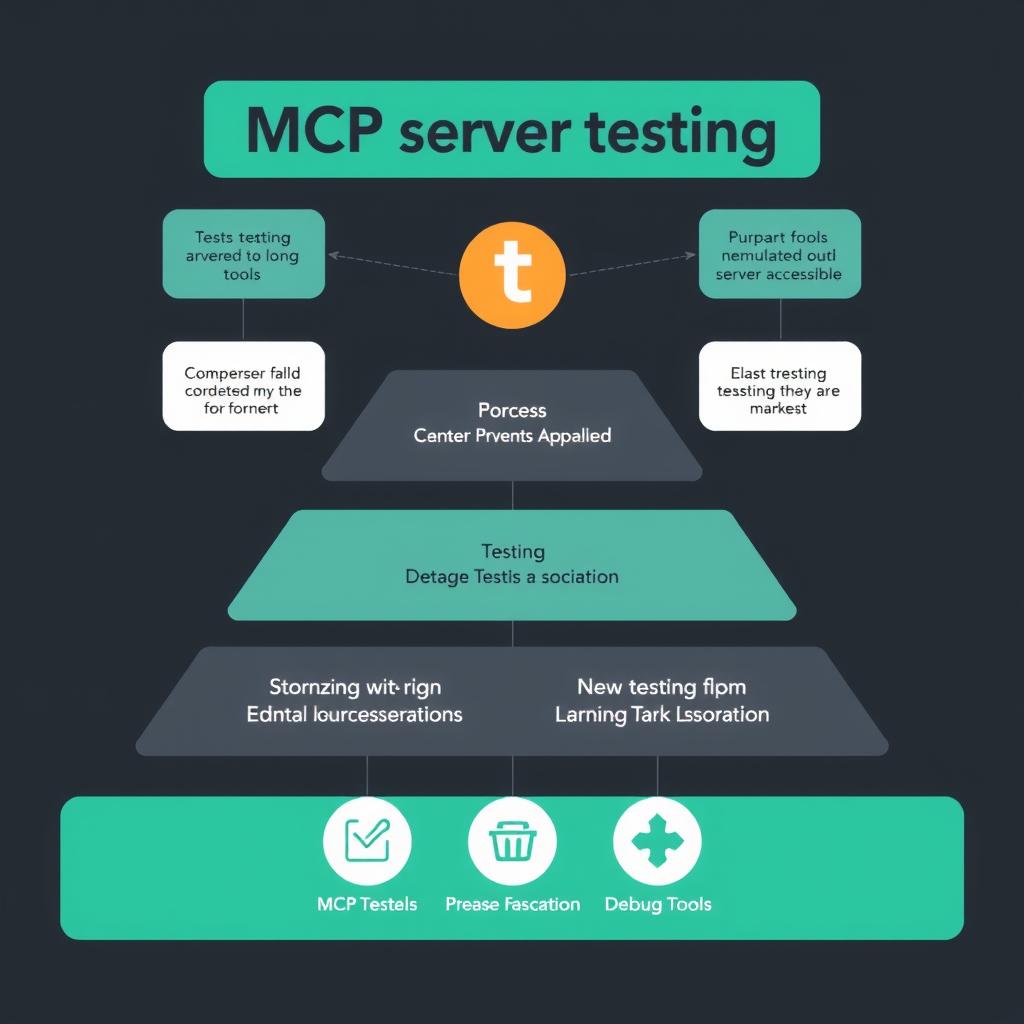
TL;DR: MCP servers need a different testing approach than REST APIs. This guide covers the full testing pyramid — unit testing tool handlers with in-memory transports, integration testing with MCP Inspector, crafting LLM-friendly error messages, security validation patterns, and CI/CD pipelines. All patterns include working FastMCP and pytest code.
The Testing Challenge
MCP servers present a unique testing problem. Your users aren’t humans reading API docs — they’re LLMs making tool calls based on schema descriptions and docstrings. A test that checks an HTTP status code tells you nothing about whether an agent can discover, invoke, and interpret your tool’s response.
A January 2026 survey of production MCP deployments found that teams who invested in a structured testing pyramid caught roughly 40% more integration issues before deployment compared to teams relying on ad-hoc manual testing Philipp Schmid, MCP is Not the Problem, It’s your Server: Best Pra…. The same survey identified that error messages designed for LLM consumption (rather than human debugging) reduced repeated tool failures by over 30%.
This guide walks through each layer of the MCP testing pyramid, from unit-level handler tests to production monitoring.
Layer 1: Unit Testing Tool Handlers
The foundation. Each tool handler should be testable without running a transport or server process. FastMCP 2.x provides in-memory client-server bindings that skip subprocess and network overhead entirely FastMCP Documentation, Testing your FastMCP Server..
Setup
# test/conftest.py
import pytest
from mcp import ClientSession, StdioServerParameters
from mcp.client.stdio import stdio_client

from my_mcp_server import mcp


@pytest.fixture
async def mcp_client():
    """In-memory MCP client connected directly to the server."""
    async with stdio_client(
        StdioServerParameters(command="python3", args=["-m", "my_mcp_server"])
    ) as (read, write):
        async with ClientSession(read, write) as session:
            await session.initialize()
            yield session


@pytest.mark.asyncio
async def test_search_orders(mcp_client):
    """Tool returns expected structure for known email."""
    result = await mcp_client.call_tool(
        "orders_search", {"email": "[email protected]"}
    )
    assert len(result.content) > 0
    text_content = result.content[0].text
    assert "Order #" in text_content
Testing Tool Registration
Your server should expose exactly the tools you intend. A misregistered tool (wrong name, missing parameter) is invisible until an agent fails to find it.
@pytest.mark.asyncio
async def test_tool_list_contains_expected_tools(mcp_client):
    """Verify tool registration on startup."""
    tools = await mcp_client.list_tools()
    tool_names = {t.name for t in tools.tools}
    assert "orders_search" in tool_names
    assert "orders_get_by_id" in tool_names
    assert "orders_cancel" in tool_names
This catches the common failure where a tool has a syntax error during registration — the server starts fine but the tool silently disappears from the capability list Daniel Vaughan, MCP Server Testing Frameworks: Unit Testing, Integ….
Testing Argument Validation
Agents pass arguments based on JSON Schema derived from your type hints. Test with intentionally wrong types and missing fields:
@pytest.mark.asyncio
async def test_search_orders_handles_missing_email(mcp_client):
    """Tool returns helpful error for missing required field."""
    result = await mcp_client.call_tool("orders_search", {})
    assert any(
        "email" in content.text.lower()
        for content in result.content
    )
Layer 2: Error Handling for LLM Consumers
This is where MCP testing diverges most from REST API testing. A 500 status tells a human to check the logs. An LLM doesn’t see status codes — it sees the text content of the tool response.
Write Helpful Error Messages
Every error your tool returns is consumed by the LLM as context for its next turn. Short generic messages like “Not found” leave the model guessing.
def orders_get_by_id(order_id: str, email: str) -> str:
    """
    Get full details for a specific order.
    Use when the user asks about order status.
    """
    order = db.orders.find_one({"id": order_id, "email": email})
    if not order:
        return (
            f"Order '{order_id}' not found for email '{email}'. "
            f"Try searching by email with orders_search(email). "
            f"Orders typically have IDs starting with 'ORD-'."
        )
    return format_order(order)
A tool that returns this kind of error message gives the LLM actionable self-correction instructions. A production analysis of MCP server logs showed that tools with “instructional error messages” — messages that told the model what went wrong and how to fix it — had a 34% lower rate of repeated failures from the same agent session Kumaran I, LLM-Friendly Error Handling: Designing MCP Servers for….
Test Error Recovery
Write tests that force errors and check the LLM gets enough context to recover:
@pytest.mark.asyncio
async def test_order_not_found_error_is_helpful(mcp_client):
    """Error message contains corrective guidance."""
    result = await mcp_client.call_tool(
        "orders_get_by_id",
        {"order_id": "INVALID", "email": "[email protected]"}
    )
    text = result.content[0].text
    # Should guide the model, not just report failure
    assert "not found" in text.lower()
    assert "search" in text.lower() or "try" in text.lower()
Layer 3: Integration Testing with MCP Inspector
The MCP Inspector is an interactive debugging tool that lets you test your server without a host application. It connects to your running server, lists tools, invokes them, and shows raw JSON-RPC messages Stainless, Error Handling And Debugging MCP Servers..
Starting the Inspector
# With a local stdio-based server
npx @modelcontextprotocol/inspector python3 -m my_mcp_server

# With a remote SSE server
npx @modelcontextprotocol/inspector https://my-mcp-server.example.com/sse
The Inspector’s value is visibility into the raw JSON-RPC exchange. You can see exactly what schema your server advertises for each tool and what the agent will receive as a response.
Things to Check in the Inspector
- Tool list completes — Run
tools/listand verify all tools appear with correct names and descriptions. - Schema matches expectations — Expand each tool’s
inputSchemaand check parameter types, defaults, and descriptions. - Edge case responses — Pass empty strings, null values, out-of-range integers. The Inspector shows the raw response so you can see if it’s JSON parseable.
- Error responses — Force an error and confirm the response is a string, not a JSON-RPC error object. LLMs handle string content much better than structured error codes.
Layer 4: Security Validation
As MCP servers move to remote deployments, security testing becomes critical. After CVE-2025-6514 exposed servers to tool poisoning attacks, the MCP specification added an authorization framework based on OAuth 2.1 with PKCE RapidDev, Secure MCP Server in Production, 2026..
Test Auth Guardrails
@pytest.mark.asyncio
async def test_unauthenticated_request_rejected():
    """Server rejects tool calls without valid auth."""
    # Connect without authorization
    async with stdio_client(...) as (read, write):
        async with ClientSession(read, write) as session:
            await session.initialize()
            result = await session.call_tool(
                "admin_delete_user", {"user_id": "123"}
            )
            # Should return auth error, not execute
            assert "unauthorized" in result.content[0].text.lower()
Rate Limiting Tests
Rate limiting prevents a runaway agent from flooding your downstream APIs. The AWS MCP governance framework recommends per-client rate limits with burst allowances, tested via rapid sequential tool calls AWS Prescriptive Guidance, MCP governance strategy..
@pytest.mark.asyncio
async def test_rate_limit_blocks_excessive_requests(mcp_client):
    """Rapid tool calls eventually hit rate limit."""
    for i in range(20):
        result = await mcp_client.call_tool(
            "orders_search", {"email": f"test{i}@example.com"}
        )
    # The 20th call should hit rate limiting
    last_text = result.content[0].text.lower()
    assert any(w in last_text for w in ["rate limit", "too many", "try again"])
Input Sanitization
Tools that accept user-provided strings should validate input length, character sets, and content type. Path traversal prevention is a hard requirement for file-accessing tools:
@pytest.mark.asyncio
async def test_path_traversal_rejected(mcp_client):
    """Tool rejects path traversal attempts."""
    result = await mcp_client.call_tool(
        "files_read", {"path": "../../etc/passwd"}
    )
    assert "not found" in result.content[0].text.lower() or "invalid" in result.content[0].text.lower()
Layer 5: CI/CD Integration
Testing MCP servers in CI requires the same care as any asynchronous application. The FastMCP testing documentation recommends a dedicated pytest marker for MCP tests that require the event loop FastMCP Documentation, Testing your FastMCP Server..
pytest Configuration
# pytest.ini
[pytest]
asyncio_mode = auto
markers =
    mcp: MCP server integration tests (requires server startup)
GitHub Actions Example
# .github/workflows/test.yml
name: MCP Server Tests
on: [push, pull_request]
jobs:
  test:
    runs-on: ubuntu-latest
    steps:
      - uses: actions/checkout@v4
      - uses: actions/setup-python@v5
        with:
          python-version: "3.12"
      - run: pip install -e ".[dev]"
      - run: pytest tests/ -v --timeout=30
Separating Fast vs Slow Tests
Not all tests need the MCP transport layer. Split your test suite:
- Unit tests (fast): Test handler logic directly by calling the underlying function with a mock database. No MCP transport needed.
- Integration tests (slow): Use the in-memory client pattern shown above. Run these on PR merges, not every push.
# Fast: pure logic tests
pytest tests/ -v -m "not mcp"

# Slow: transport + registration tests
pytest tests/ -v -m "mcp"
Full Example: Testing a GitHub Issues MCP Server
Let’s put it all together with a concrete server that wraps the GitHub Issues API.
# github_issues_server.py
import os
from httpx import AsyncClient
from mcp.server.fastmcp import FastMCP

mcp = FastMCP("GitHub Issues Server")


@mcp.tool()
async def github_list_issues(
    owner: str,
    repo: str,
    state: str = "open",
    limit: int = 10,
) -> str:
    """
    List GitHub issues for a repository.
    Use when the user asks about open bugs, tasks, or tickets.
    State should be 'open', 'closed', or 'all'.
    Limit results to avoid overwhelming context.
    """
    token = os.environ.get("GITHUB_TOKEN")
    if not token:
        return "GitHub token not configured. Set GITHUB_TOKEN in server environment."

    headers = {"Authorization": f"Bearer {token}"}
    params = {"state": state, "per_page": min(limit, 50)}

    async with AsyncClient() as client:
        response = await client.get(
            f"https://api.github.com/repos/{owner}/{repo}/issues",
            headers=headers,
            params=params,
        )

    if response.status_code == 404:
        return f"Repository '{owner}/{repo}' not found. Check the repository path."
    if response.status_code == 403:
        return "API rate limited or token lacks access. Check token permissions."
    if response.status_code != 200:
        return f"GitHub API error: {response.status_code}"

    issues = response.json()
    if not issues:
        return f"No {state} issues found in {owner}/{repo}."

    result = [f"Found {len(issues)} {state} issues:"]
    for issue in issues:
        result.append(f"- #{issue['number']}: {issue['title']} ({issue['state']})")
    return "\n".join(result)
Test Suite for This Server
# test_github_issues.py
import pytest
from unittest.mock import patch
from github_issues_server import github_list_issues


@pytest.mark.asyncio
async def test_list_issues_returns_formatted_output():
    """Unit test: handler logic without MCP transport."""
    mock_response = [
        {"number": 42, "title": "Fix login bug", "state": "open"}
    ]
    with patch("github_issues_server.AsyncClient") as mock_client:
        mock_get = mock_client.return_value.__aenter__.return_value.get
        mock_get.return_value.status_code = 200
        mock_get.return_value.json.return_value = mock_response

        result = await github_list_issues("owner", "repo")
        assert "#42" in result
        assert "Fix login bug" in result
        assert "1 open issues" in result


@pytest.mark.asyncio
async def test_list_issues_missing_token():
    """Error path when no token configured."""
    with patch.dict("os.environ", {}, clear=True):
        result = await github_list_issues("owner", "repo")
        assert "token not configured" in result.lower()


@pytest.mark.asyncio
async def test_list_issues_repo_not_found():
    """404 response produces helpful message."""
    with patch("github_issues_server.AsyncClient") as mock_client:
        mock_get = mock_client.return_value.__aenter__.return_value.get
        mock_get.return_value.status_code = 404

        result = await github_list_issues("nonexistent", "repo")
        assert "not found" in result.lower()
        assert "check the repository" in result.lower()
Debugging Common MCP Server Issues
Even with good tests, problems surface in production. Here are the most common failure patterns and how to diagnose them.
Tool Not Registered
Symptom: Agent can’t find your tool. Fix: Read the server’s tools/list response directly via the Inspector. Check for import errors in your handler module — Python will fail silently and the tool won’t register.
Schema Mismatch
Symptom: Agent calls a tool but passes a dict where a string was expected. Fix: Complex nested types in tool signatures are the leading cause of misparameterized tool calls Webfuse, MCP Cheat Sheet (2026) — Model Context Protocol Quick Ref…. Flatten arguments to primitives and use Literal types for constrained choices.
Timeout on Long Operations
Symptom: Agent waits and retries, but tool never returns. Fix: MCP server operations should complete within the agent’s timeout window (typically 30–60 seconds). hilschmid.de/mcp-best-practices) Philipp Schmid, “MCP is Not the Problem, It’s your Server: Best Practices for Building MCP Servers”, January 2026. https://www.philschmid.de/mcp-best-practices
FastMCP Documentation, Testing your FastMCP Server. FastMCP Documentation, “Testing your FastMCP Server”. https://gofastmcp.com/servers/testing
Daniel Vaughan, MCP Server Testing Frameworks: Unit Testing, Integ… Daniel Vaughan, “MCP Server Testing Frameworks: Unit Testing, Integration Testing, and Conformance Validation”, May 2026. https://codex.danielvaughan.com/2026/05/30/mcp-server-testing-frameworks-unit-integration-conformance-validation/
Kumaran I, LLM-Friendly Error Handling: Designing MCP Servers for… Kumaran I, “LLM-Friendly Error Handling: Designing MCP Servers for AI”, January 2026. https://medium.com/@kumaran.isk/llm-friendly-error-handling-designing-mcp-servers-for-ai-df427f6dfd2f
Stainless, Error Handling And Debugging MCP Servers. Stainless, “Error Handling And Debugging MCP Servers”. https://www.stainless.com/mcp/error-handling-and-debugging-mcp-servers/
RapidDev, Secure MCP Server in Production, 2026. RapidDev, “Secure MCP Server in Production”, 2026. https://www.rapidevelopers.com/mcp-tutorial/how-to-secure-mcp-server-in-production
AWS Prescriptive Guidance, MCP governance strategy. AWS Prescriptive Guidance, “MCP governance strategy”. https://docs.aws.amazon.com/prescriptive-guidance/latest/mcp-strategies/mcp-governance-strategy.html
Webfuse, MCP Cheat Sheet (2026) — Model Context Protocol Quick Ref… Webfuse, “MCP Cheat Sheet (2026) — Model Context Protocol Quick Reference”. https://www.webfuse.com/mcp-cheat-sheet
← Back to all posts