The bottom line: The OpenAI Agents SDK (openai-agents on PyPI) ships a lightweight agent loop, handoffs, guardrails, sessions, and built-in tracing — enough to prototype a multi-agent system in an afternoon OpenAI, Agents SDK Documentation, 2026.. Moving to production means layering on multi-model routing (LiteLLM), persistent session stores, sandbox execution, and a decision framework for handoffs vs agents-as-tools. This guide walks through each layer with code you can deploy today.
What the SDK Gives You
The SDK evolved from the experimental Swarm library into a production-grade framework with five core primitives OpenAI, Agents SDK Documentation, 2026.:
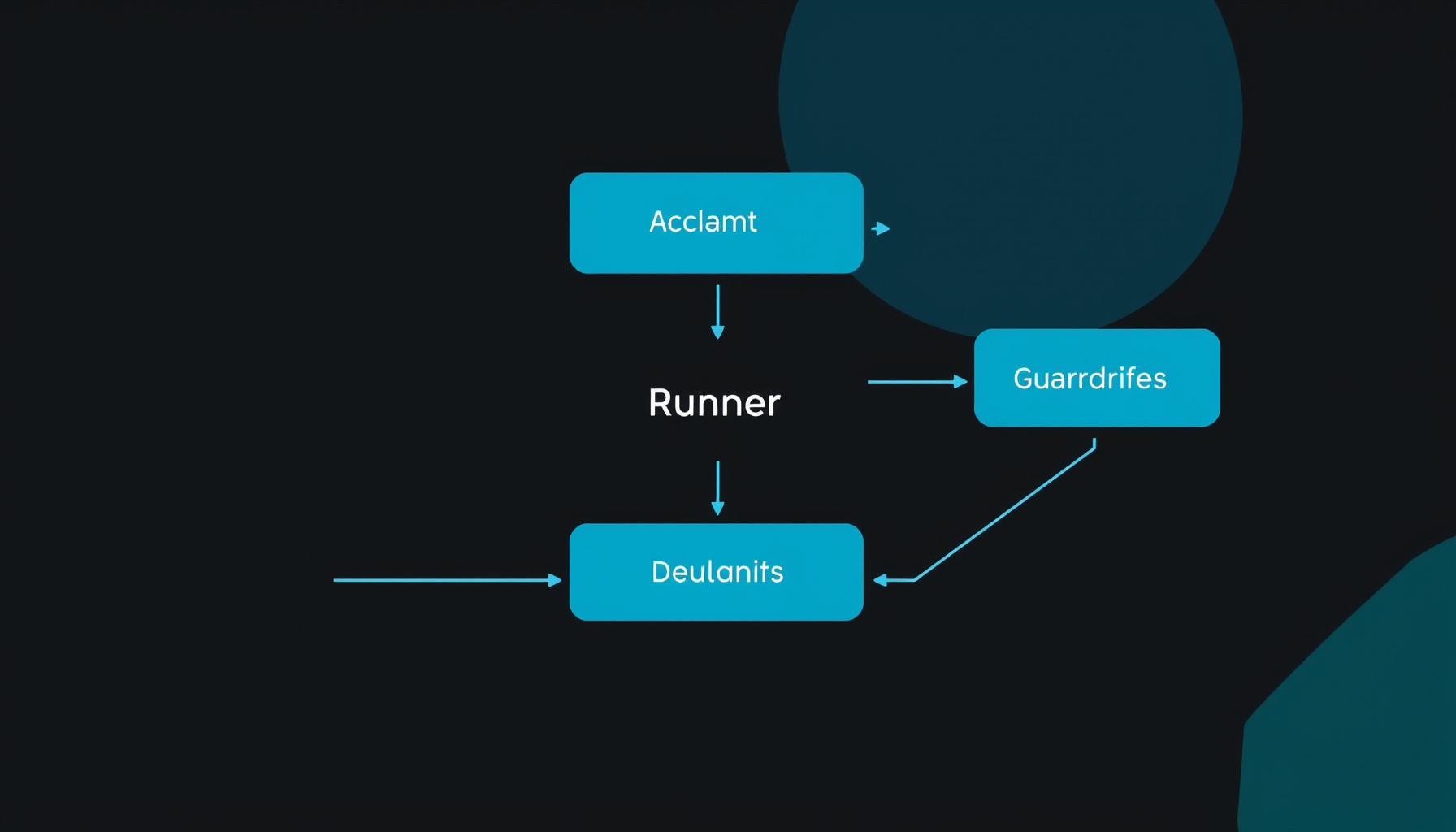
| Primitive | What It Does | Production Ready? |
|---|---|---|
| Agent | LLM + instructions + tools | Yes — model-agnostic via model provider interface |
| Runner | Manages the agent loop (tool calls → LLM → done) | Yes — handles interruptions, resumable state |
| Handoffs / Agents as Tools | Two patterns for multi-agent coordination | Yes — handoffs for ownership transfer, tools for delegation |
| Guardrails | Input, output, and tool-level validation | Yes — parallel or blocking, tripwire exceptions |
| Sessions | Persistent memory across turns | Yes — pluggable backends (SQLite, custom) |
| Tracing | Built-in OpenTelemetry-compatible tracing | Yes — free dashboard via OpenAI |
The SDK intentionally keeps abstractions minimal OpenAI, Agents SDK Documentation, 2026.. You orchestrate agents with native Python — no YAML configs, no DSL, no framework-specific state machines. The LLM decides tool calls, handoffs, and when to stop.
Step 1: Core Agent with Function Tools
Start here. A single agent with @function_tool is the right default for 80% of use cases OpenAI, Agents SDK Documentation, 2026..
import asyncio
import httpx
from pydantic import BaseModel
from agents import Agent, Runner, function_tool

class StockPrice(BaseModel):
    symbol: str
    price_usd: float
    change_pct: float

@function_tool
async def get_stock_price(symbol: str) -> StockPrice:
    """Get the current stock price and daily change for a symbol."""
    async with httpx.AsyncClient(timeout=10) as client:
        r = await client.get(
            f"https://api.example-prices.com/v1/quote/{symbol}",
        )
        data = r.json()
        return StockPrice(
            symbol=data["symbol"],
            price_usd=data["price"],
            change_pct=data["changePercent"],
        )

agent = Agent(
    name="Stock Analyst",
    instructions="You are a stock analyst. Provide concise quotes with price and daily change.",
    tools=[get_stock_price],
    model="gpt-5.4-mini",
)

async def main():
    result = await Runner.run(agent, "What's AAPL doing today?")
    print(result.final_output)

asyncio.run(main())
Key details: The @function_tool decorator auto-generates JSON schemas from your function signature and validates with Pydantic at runtime OpenAI, Agents SDK Documentation, 2026.. Docstrings become tool descriptions — be explicit. The default model is gpt-5.4-mini OpenAI, Agents SDK Documentation, 2026..
Step 2: Multi-Agent Patterns — Handoffs vs Agents as Tools
This is the most common design decision when scaling beyond one agent. The SDK supports two distinct patterns OpenAI, Orchestration and Handoffs — Agents SDK, 2026.:
| Pattern | Ownership | When to Use |
|---|---|---|
| Handoffs | Specialist takes over the conversation | Routing to different policy domains (billing vs support), different instructions or tools needed |
| Agents as tools | Manager stays in control | Specialist does a bounded task (summarize, classify, extract) and manager synthesizes final answer |
Handoffs — Delegating Ownership
from agents import Agent, handoff

billing_agent = Agent(
    name="Billing",
    instructions="Handle billing questions, payment history, and invoices.",
)

refund_agent = Agent(
    name="Refund",
    instructions="Process refund requests. Ask for order ID and reason.",
)

triage_agent = Agent(
    name="Triage",
    instructions="Route customers to the right specialist based on their question.",
    handoffs=[billing_agent, handoff(refund_agent)],
)

result = await Runner.run(triage_agent, "I need a refund on order ABC-123.")
print(result.last_agent.name)  # Refund
The LLM decides when to hand off. result.last_agent tells you which agent produced the final output. Handoffs pass full conversation history to the target agent — the specialist has full context OpenAI, Orchestration and Handoffs — Agents SDK, 2026..
Agents as Tools — Manager-Style Delegation
from agents import Agent

summarizer = Agent(
    name="Summarizer",
    instructions="Generate a concise summary of the supplied text. 2-3 sentences.",
)

researcher = Agent(
    name="Research assistant",
    tools=[
        summarizer.as_tool(
            tool_name="summarize_text",
            tool_description="Summarize the provided text concisely.",
        )
    ],
)

result = await Runner.run(researcher, "Summarize this earnings report: ...")
# Manager keeps control, calls summarizer as a tool
Rule of thumb: Start with one agent. Split only when a branch needs different instructions, tools, or policy OpenAI, Orchestration and Handoffs — Agents SDK, 2026.. Premature splitting creates more prompts, more traces, and more approval surfaces without improving outcomes.
Step 3: Guardrails — Input, Output, and Tool-Level
Guardrails prevent bad inputs from reaching expensive models and catch problematic outputs before they reach users OpenAI, Guardrails — Agents SDK, 2026..
from pydantic import BaseModel
from agents import (
    Agent, GuardrailFunctionOutput, InputGuardrailTripwireTriggered,
    Runner, input_guardrail,
)

class TopicCheck(BaseModel):
    is_on_topic: bool
    reasoning: str

guardrail_checker = Agent(
    name="Topic Guardrail",
    instructions="Check if the user is asking about stock market or finance topics.",
    output_type=TopicCheck,
)

@input_guardrail
async def finance_only_guardrail(ctx, agent, input_data):
    result = await Runner.run(guardrail_checker, input_data)
    return GuardrailFunctionOutput(
        tripwire_triggered=not result.final_output.is_on_topic,
    )

agent = Agent(
    name="Stock Analyst",
    instructions="You help with stock market questions.",
    input_guardrails=[finance_only_guardrail],
)
Execution modes OpenAI, Guardrails — Agents SDK, 2026.:
- Parallel (default,
run_in_parallel=True): Runs guardrail concurrently with agent. Best latency but agent may consume tokens before guardrail completes. - Blocking (
run_in_parallel=False): Runs before agent starts. Prevents wasted tokens on out-of-domain inputs.
Tool guardrails fire on every custom function_tool invocation — use these when multi-agent workflows need checks on tool arguments across handoffs and delegated calls OpenAI, Guardrails — Agents SDK, 2026..
Step 4: Sessions and Persistent Memory
The SDK has a pluggable session system for maintaining state across turns OpenAI, Agents SDK Documentation, 2026..
from agents import Agent, Runner, SQLiteSession

session = SQLiteSession("user_123", db_path="./sessions.db")
agent = Agent(
    name="Support Agent",
    instructions="You are a support agent. Reference previous context from the session.",
)

# First turn
result = await Runner.run(agent, "I need help with my order.", session=session)

# Second turn — session preserves context
result = await Runner.run(agent, "What was my order number?", session=session)
The SQLiteSession backend persists to disk, survives restarts, and is thread-safe. For distributed deployments, implement the Session interface with Redis or PostgreSQL — the SDK provides the abstraction OpenAI, Agents SDK Documentation, 2026..
Step 5: Production Tracing and Monitoring
Tracing is enabled by default and sends traces to OpenAI’s dashboard OpenAI, Agents SDK Documentation, 2026.. For production, you’ll want to export traces to your own observability stack.
import os
os.environ["OPENAI_AGENTS_DISABLE_TRACING"] = "0"  # default

# Sentry integration (if using sentry-sdk[openai-agents])
import sentry_sdk
sentry_sdk.init(dsn=os.environ["SENTRY_DSN"])
What tracing captures OpenAI, Agents SDK Documentation, 2026.:
- Agent runs (start → tool calls → handoffs → completion)
- Guardrail evaluations
- Tool invocation timing and results
- Token usage per turn
For self-hosted tracing, configure the exporter to point at your OpenTelemetry collector:
from agents.tracing import set_tracing_processor
from agents.tracing.processors import OTLPTraceExporter

set_tracing_processor(
    OTLPTraceExporter(
        endpoint="http://your-otel-collector:4318/v1/traces"
    )
)
Production metrics to track OpenAI, Tracing — Agents SDK, 2026.:
| Metric | What It Tells You | Alert Threshold |
|---|---|---|
| Average agent turns per session | Workflow complexity | Unbounded growth → stuck loop |
| Guardrail trip rate | Abuse patterns or prompt confusion | >5% of total sessions |
| Handoff success rate | Agent routing accuracy | <80% → retrain prompts |
| Token cost per agent run | Cost per workflow | Weekly trend, not daily spike |
| p95 time-to-completion | User experience | >30s → investigate |
Step 6: Multi-Model Routing with LiteLLM
The SDK supports custom model providers. Use LiteLLM to route different agents to different models — a common pattern is GPT-5.4-mini for triage/guardrails and Claude Opus 4.7 for writing/code tasks Tech Insider, OpenAI Agents SDK Tutorial: 13 Steps, May 2026..
from agents import Model, Agent, Runner, set_default_model
from agents.models.litellm import LiteLLMModel

# Create model instances
fast_model = LiteLLMModel(
    model="gpt-5.4-mini",
    temperature=0.1,
)

quality_model = LiteLLMModel(
    model="claude-opus-4-7",
    temperature=0.3,
)

# Route agents to appropriate models
triage = Agent(
    name="Triage",
    instructions="Route requests to the right specialist.",
    model=fast_model,  # Cheap, fast
)

writer = Agent(
    name="Writer",
    instructions="Write detailed responses.",
    model=quality_model,  # Expensive, high quality
)
From the April 2026 update OpenAI, The Next Evolution of the Agents SDK, April 2026., the SDK also supports sandbox agents — controlled workspaces with isolated file systems, manifest-defined mounts, and resumable sessions. This is the production path for agents that write code, process files, or need a reproducible environment.
Step 7: Production Checklist
Before deploying a multi-agent system built on the OpenAI Agents SDK:
| Check | Implementation | Why |
|---|---|---|
| Guardrails on every public input | Input guardrail + tool guardrails | Blocks injection and off-topic queries before they cost money OpenAI, Guardrails — Agents SDK, 2026. |
| Session persistence | SQLiteSession or Redis-backed | Survives restarts, supports multi-turn conversations OpenAI, Agents SDK Documentation, 2026. |
| Model cost isolation | Cheap model for triage/guardrails, expensive model for generation | Cuts per-session cost by 60–80% Tech Insider, OpenAI Agents SDK Tutorial: 13 Steps, May 2026. |
| Timeout per agent run | Runner.run(..., max_turns=25) |
Prevents infinite loops and runaway costs |
| Tracing exported | OTLP exporter to OpenTelemetry collector | Debug without OpenAI dashboard dependency OpenAI, Agents SDK Documentation, 2026. |
| Handoff boundaries documented | handoff_description on every handoff |
Keeps routing legible as system grows OpenAI, Orchestration and Handoffs — Agents SDK, 2026. |
| Output validation on final agent | Structured outputs via output_type |
Guarantees consumers get valid data OpenAI, Agents SDK Documentation, 2026. |
| Error recovery | Try/except on Runner.run(), retry with exponential backoff |
Handles API errors, rate limits, transient failures |
When Not to Use the SDK
The SDK is not always the right choice OpenAI, Agents SDK Documentation, 2026.:
| Use the SDK when… | Use the Responses API directly when… |
|---|---|
| You want the runtime to manage turns, tool execution, guardrails | You own the loop and state yourself |
| Workflow spans multiple coordinated steps | Single model call + tool is enough |
| Agents produce artifacts or need resumable execution | Short-lived workflows returning model’s response |
You can mix both: use the SDK for managed workflows and call the Responses API directly for lower-level paths OpenAI, Agents SDK Documentation, 2026..
Summary
The OpenAI Agents SDK gives you a production-ready foundation in roughly 50 lines of Python. The critical layers you add yourself are:
- Multi-agent topology — handoffs for ownership transfer, agents-as-tools for bounded delegation OpenAI, Orchestration and Handoffs — Agents SDK, 2026.
- Guardrails at every boundary — input (blocking), output, and tool-level checks OpenAI, Guardrails — Agents SDK, 2026.
- Persistent sessions — SQLite for single-node, Redis for distributed OpenAI, Agents SDK Documentation, 2026.
- Multi-model routing — LiteLLM for cost-optimized agent assignments Tech Insider, OpenAI Agents SDK Tutorial: 13 Steps, May 2026.
- Tracing export — OTLP to your observability stack OpenAI, Agents SDK Documentation, 2026.
The SDK’s minimal abstraction philosophy means you’re writing Python, not framework code. That makes it easier to debug, easier to test, and easier to migrate when the next framework arrives.
References
OpenAI, Agents SDK Documentation, 2026. OpenAI, “Agents SDK Documentation,” 2026. https://openai.github.io/openai-agents-python/
OpenAI, Orchestration and Handoffs — Agents SDK, 2026. OpenAI, “Orchestration and Handoffs — Agents SDK,” 2026. https://developers.openai.com/api/docs/guides/agents/orchestration
OpenAI, Guardrails — Agents SDK, 2026. OpenAI, “Guardrails — Agents SDK,” 2026. https://openai.github.io/openai-agents-python/guardrails/
OpenAI, Tracing — Agents SDK, 2026. OpenAI, “Tracing — Agents SDK,” 2026. https://openai.github.io/openai-agents-python/tracing/
Tech Insider, OpenAI Agents SDK Tutorial: 13 Steps, May 2026. Tech Insider, “OpenAI Agents SDK Tutorial: 13 Steps,” May 2026. https://tech-insider.org/openai-agents-sdk-tutorial-python-13-steps-2026/
OpenAI, The Next Evolution of the Agents SDK, April 2026. OpenAI, “The Next Evolution of the Agents SDK,” April 2026. https://openai.com/index/the-next-evolution-of-the-agents-sdk/
📖 Related Reads
- ToolBrain — tool reviews, LLM comparisons, and AI workflow guides
- NoCode Insider — AI workflow automation with no-code tools, agents, and APIs
Cross-links automatically generated from NiteAgent.
← Back to all posts