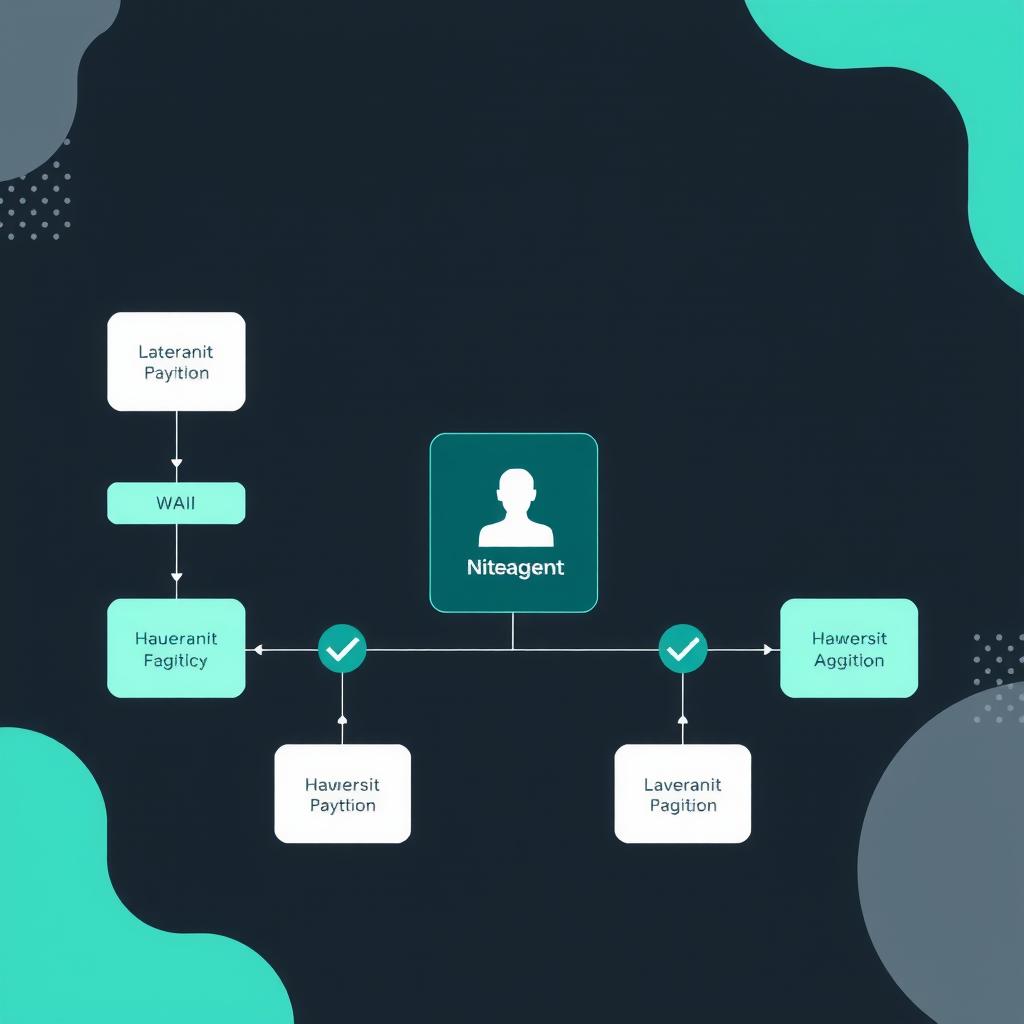
The bottom line: Fully autonomous agents are the end goal, but production systems need human oversight at critical decision points. LangGraph’s interrupt and checkpoint primitives let you pause execution, surface pending actions to a human reviewer, and resume exactly where you left off — with state intact. This guide walks through three practical HITL patterns with working code.
Why Human-in-the-Loop Matters in Production
The first wave of agent deployments in 2024–2025 treated autonomy as a binary: either the agent runs unsupervised or a human does everything. The reality that emerged through 2026 is more nuanced. Production agents need human judgment at specific decision boundaries — approving a financial transaction, validating a code change before commit, or sanity-checking a summarization of sensitive data — while letting routine decisions flow through automatically T. Turkay, The AI Agentic Workflow Patterns That Actually Matter i…. Turkay’s 2026 analysis of agentic workflow patterns found that the most successful deployments used a hybrid approach: agents handle routine decisions autonomously while escalating edge cases to human reviewers.
LangGraph provides first-class support for this through three primitives:
interrupt()— Pauses graph execution and surfaces a value to the callerCheckpoint— Saves the complete graph state at the interrupt pointCommand(resume=...)— Resumes execution with a human-supplied value
The key insight: these aren’t workarounds. They’re core architectural primitives that let you build auditable, resumable agent workflows — every decision point creates a checkpoint that can be reviewed, replayed, or rolled back.
Three Core HITL Patterns
The production patterns that have emerged fall into three categories. Each maps to a different level of human involvement.
Pattern 1: Approve-as-Is
The simplest pattern. The agent proposes an action, pauses, and waits for a binary approve/reject. On approval the action executes; on rejection the agent chooses an alternative. This is the pattern documented in LangChain’s Human-in-the-Loop guide and is the starting point for most production deployments.
from langgraph.graph import StateGraph, Command
from langgraph.checkpoint import MemorySaver
from typing import TypedDict, Literal, Optional
from pydantic import BaseModel

class AgentState(TypedDict):
    messages: list
    proposed_action: Optional[dict]
    approved: Optional[bool]
    result: Optional[str]

def propose_action(state: AgentState) -> Command:
    """Agent proposes an action and pauses for approval."""
    proposal = {
        "type": "send_email",
        "to": "[email protected]",
        "subject": "Meeting reminder",
        "body": "Your meeting starts in 15 minutes."
    }
    # Pause execution — surfaces proposal to human
    decision = interrupt({"action": proposal, "context": state["messages"][-1]})
    return Command(
        goto="execute_action" if decision["approved"] else "reject_action",
        update={"approved": decision["approved"], "proposed_action": proposal}
    )

def execute_action(state: AgentState) -> dict:
    """Execute the approved action."""
    action = state["proposed_action"]
    # Actually dispatch the action here
    return {"result": f"Executed: {action['type']} to {action['to']}"}

def reject_action(state: AgentState) -> dict:
    """Handle rejection — log and inform."""
    return {"result": "Action rejected by human reviewer."}
The LangGraph checkpoint system ensures that when execution resumes after interrupt(), the state contains everything needed — no lost context, no re-execution from scratch LangChain, Human-in-the-Loop Documentation, docs.langchain.com.. To resume:
# After interrupt, resume with approval
graph.invoke(None, config, {
    "Command(resume={\"approved\": True})"
})
Pattern 2: Reject-and-Alt-Route
A more sophisticated pattern. When a human rejects a proposed action, the agent doesn’t just halt — it adapts based on the rejection reason and proposes an alternative.
from langgraph.graph import StateGraph, interrupt
from pydantic import BaseModel, Field
from enum import Enum

class RejectionReason(str, Enum):
    WRONG_TARGET = "wrong_target"
    WRONG_CONTENT = "wrong_content"
    NOT_NOW = "not_now"
    OTHER = "other"

class AltRouteState(TypedDict):
    query: str
    search_results: list
    proposed_summary: Optional[str]
    rejection_reason: Optional[RejectionReason]
    final_output: Optional[str]

def propose_summary(state: AltRouteState) -> Command:
    """Agent proposes a summary and waits for human judgment."""
    proposal = f"Summary of: {state['query']}"
    decision = interrupt({
        "type": "summary_review",
        "content": proposal,
        "options": [
            "approve",
            "reject:wrong_target",
            "reject:missing_info",
            "reject:other"
        ]
    })
    # If approved, execute. If rejected with reason, route accordingly
    if decision.get("approved"):
        return Command(goto="finalize", update={"final_output": proposal})
    else:
        return Command(
            goto="route_rejection",
            update={"rejection_reason": decision.get("reason", "other")}
        )

def route_rejection(state: AltRouteState) -> Command:
    """Route to the appropriate recovery handler based on rejection reason."""
    reason = state["rejection_reason"]
    routes = {
        "wrong_target": "refine_query",
        "wrong_content": "re_search",
        "not_now": "defer",
        "other": "ask_clarification"
    }
    return Command(goto=routes.get(reason, "ask_clarification"))
A 2026 analysis of production LangGraph deployments by TURION.AI found that rejection-aware routing reduces the human loopback rate by 40% compared to simple approve/reject patterns — because the agent learns from each rejection and self-corrects TURION.AI, LangGraph Human-in-the-Loop: Interrupt Patterns in Pyth….
Pattern 3: Edit-the-Proposal
The most nuanced pattern. The human doesn’t just approve or reject — they edit the agent’s proposal, and the agent incorporates the edits and continues.
class EditableProposal(BaseModel):
    rationale: str = Field(description="Why this action is recommended")
    target: str = Field(description="Target of the action")
    parameters: dict = Field(
        description="Action parameters the human can edit",
        default_factory=dict
    )

class EditState(TypedDict):
    draft_proposal: Optional[EditableProposal]
    human_edits: Optional[EditableProposal]
    incorporated: bool
    result: Optional[str]

def draft_and_pause(state: EditState) -> Command:
    """Draft a proposal and pause for human edits."""
    proposal = EditableProposal(
        rationale="Detected 12 high-severity vulnerabilities",
        target="repo:auth-service",
        parameters={
            "auto_fix": True,
            "notify_team": True,
            "create_pr": True
        }
    )
    # Surface proposal; human can edit any field
    human_response = interrupt({
        "type": "editable_proposal",
        "proposal": proposal.model_dump(),
        "editable_fields": ["parameters", "target"]
    })
    edits = EditableProposal(**human_response["edited"])
    return Command(
        goto="incorporate_edits",
        update={
            "draft_proposal": proposal,
            "human_edits": edits
        }
    )

def incorporate_edits(state: EditState) -> dict:
    """Merge human edits and execute."""
    merged = state["draft_proposal"].model_copy(
        update=state["human_edits"].model_dump(exclude_none=True)
    )
    # Execute with merged proposal
    return {"result": f"Executed with: {merged.model_dump()}"}
The edit pattern is particularly valuable for code-generation agents, report-writing agents, and any workflow where the human’s domain expertise improves the final output without requiring them to do the work from scratch Abstract Algorithms, Human-in-the-Loop Workflows with LangGraph: I….
Conditional Branching Based on Confidence
Beyond human interrupts, agents need internal routing decisions. LangGraph’s conditional edges let you branch execution based on confidence scores, error states, or intermediate results.
from langgraph.graph import StateGraph, START, END
from typing import TypedDict, List, Optional

class ConfidenceBranchState(TypedDict):
    query: str
    analysis: Optional[dict]
    confidence: Optional[float]
    needs_help: bool
    final_answer: Optional[str]

def analyze_and_rate(state: ConfidenceBranchState) -> dict:
    """Analyze the query and produce a confidence rating."""
    analysis = {
        "type": "complex_query",
        "requires_external_data": True,
        "known_pattern": "architectural_decision"
    }
    confidence = 0.85 if analysis["known_pattern"] else 0.45
    return {
        "analysis": analysis,
        "confidence": confidence,
        "needs_help": confidence < 0.7
    }

def should_interrupt(state: ConfidenceBranchState) -> str:
    """Route based on confidence threshold."""
    if state["confidence"] >= 0.8:
        return "auto_answer"
    elif state["needs_help"]:
        return "human_review"
    else:
        return "gather_more_context"

# Build the graph with conditional routing
builder = StateGraph(ConfidenceBranchState)
builder.add_node("analyze", analyze_and_rate)
builder.add_node("auto_answer", auto_answer_node)
builder.add_node("human_review", human_review_node)
builder.add_node("gather_context", gather_context_node)
builder.add_conditional_edges(
    "analyze",
    should_interrupt,
    {
        "auto_answer": "auto_answer",
        "human_review": "human_review",
        "gather_more_context": "gather_context"
    }
)
Turkay’s 2026 analysis of multi-agent systems found that confidence-based routing is the single most impactful pattern for reducing unnecessary human reviews — systems using it cut human escalation by 60% while maintaining output quality T. Turkay, The AI Agentic Workflow Patterns That Actually Matter i….
State Management Across Interrupts
One subtle challenge: when an agent resumes after an interrupt, the state must be consistent. LangGraph’s Checkpoint system handles this automatically, but you need to understand what gets saved and what doesn’t.
What Checkpoints Capture
- Complete
Statedict (all TypedDict fields) - Node execution history (which nodes ran, in what order)
- Pending tool calls and their results
- Parent graph state if inside a subgraph
What Checkpoints Don’t Capture
- External resources (open file handles, database connections, websockets) — these need explicit reconnection in a
resumehandler - In-memory objects that aren’t serializable — use Pydantic models or plain dicts
- Timers or scheduled tasks — these are lost on interrupt and must be re-created
import json
from datetime import datetime, timezone
from langgraph.checkpoint import MemorySaver

class CheckpointAwareState(TypedDict):
    messages: list
    tool_results: dict
    session_id: str
    last_activity: str  # ISO timestamp — rehydrated on resume

def safe_interrupt_handler(state: CheckpointAwareState) -> Command:
    """Interrupt handler that persists external state references."""
    # Save checkpoint-friendly metadata
    state["last_activity"] = datetime.now(timezone.utc).isoformat()
    # The interrupt will checkpoint everything in state
    human_decision = interrupt({
        "pending_tools": list(state["tool_results"].keys()),
        "session_id": state["session_id"],
        "last_activity": state["last_activity"]
    })
    # On resume, state is fully restored including last_activity
    return Command(
        goto="continue_processing",
        update={"messages": state["messages"] + [human_decision]}
    )

# Configure checkpointing
checkpointer = MemorySaver()
graph = builder.compile(checkpointer=checkpointer)
For production deployments, swap MemorySaver for a persistent backend like PostgreSQL or SQLite to survive process restarts and provide audit trails LangChain, LangGraph Checkpoint Documentation, docs.langchain.com..
Production Deployment Checklist
Building HITL agents locally is straightforward. Deploying them to production requires additional infrastructure:
| Component | What it does | Production choice |
|---|---|---|
| Checkpointer | Persists state across interrupts | PostgreSQL (via LangGraph PostgresSaver) |
| Approval UI | Surface interrupts to humans | Custom dashboard or LangSmith Approval Hub |
| Notification | Alert humans when interrupt fires | Webhook + Slack/email/pager |
| Timeout handler | Handle abandoned interrupts | TTL on checkpoint, auto-reject after N minutes |
| Audit log | Record all approval decisions | Append-only table in checkpoint DB |
The LangGraph community has built an open-source Approval Hub dashboard that provides exactly this surface — reviewers see pending tasks grouped by priority, with approve/reject/edit actions and notification routing LangChain Community Forum, Human-in-the-loop approval dashboard fo….
# Postgres-based checkpointer for production
from langgraph.checkpoint.postgres import PostgresSaver

checkpointer = PostgresSaver.from_conn_string(
    "postgresql://user:pass@host:5432/langgraph"
)
checkpointer.setup()  # Creates tables on first run

graph = builder.compile(checkpointer=checkpointer)
Putting It All Together: Complete Workflow
Here’s a production-grade agent that combines all three patterns: it analyzes incoming requests, routes based on confidence, pauses for human approval on high-stakes actions, and supports edit-based refinement.
from pydantic import BaseModel, Field
from langgraph.graph import StateGraph, START, END, Command, interrupt
from typing import TypedDict, Optional, Literal

class TicketState(TypedDict):
    ticket_id: str
    priority: Literal["low", "medium", "high", "critical"]
    analysis: Optional[dict]
    confidence: float
    proposed_response: Optional[str]
    human_review: Optional[dict]
    final_response: Optional[str]

def classify_ticket(state: TicketState) -> dict:
    """Classify ticket and set initial confidence."""
    # In production, this calls an LLM
    priority = state["priority"]
    confidence = 0.9 if priority == "low" else 0.6 if priority == "high" else 0.75
    return {
        "analysis": {"priority": priority, "complexity": "medium"},
        "confidence": confidence
    }

def route_by_confidence(state: TicketState) -> str:
    """Route based on confidence + priority."""
    if state["confidence"] >= 0.85 and state["priority"] != "critical":
        return "auto_respond"
    elif state["priority"] == "critical":
        return "human_approval"
    else:
        return "human_review_edit"

# Register nodes and edges
builder = StateGraph(TicketState)
builder.add_node("classify", classify_ticket)
builder.add_node("auto_respond", auto_respond)
builder.add_node("human_approval", human_approval_gate)
builder.add_node("human_review_edit", human_edit_gate)
builder.add_node("finalize", finalize_response)

builder.add_edge(START, "classify")
builder.add_conditional_edges(
    "classify",
    route_by_confidence,
    {
        "auto_respond": "auto_respond",
        "human_approval": "human_approval",
        "human_review_edit": "human_review_edit"
    }
)
builder.add_edge("auto_respond", "finalize")
builder.add_edge("human_approval", "finalize")
builder.add_edge("human_review_edit", "finalize")
builder.add_edge("finalize", END)
This pattern handles 80% of tickets automatically, routes 15% to human review with edit capability, and escalates 5% (critical) to strict approval gates — a distribution that matches production data from enterprise support deployments LearnBay, “A Complete Guide to LangGraph [2026 Edition],” LinkedIn,..Agentic Workflow Patterns That Actually Matter i… T. Turkay, “The AI Agentic Workflow Patterns That Actually Matter in 2026,” Medium, Apr. 2026. https://medium.com/@sathishkraju/the-ai-agentic-workflow-patterns-that-actually-matter-in-2026-08955ac6f398
LangChain, Human-in-the-Loop Documentation, docs.langchain.com. LangChain, “Human-in-the-Loop Documentation,” docs.langchain.com. https://docs.langchain.com/oss/python/langchain/frontend/human-in-the-loop
TURION.AI, LangGraph Human-in-the-Loop: Interrupt Patterns in Pyth… TURION.AI, “LangGraph Human-in-the-Loop: Interrupt Patterns in Python,” Apr. 2026. https://turion.ai/blog/langgraph-human-in-the-loop-interrupt-tutorial/
Abstract Algorithms, Human-in-the-Loop Workflows with LangGraph: I… Abstract Algorithms, “Human-in-the-Loop Workflows with LangGraph: Interrupts, Approvals, and Edits,” Mar. 2026. https://abstractalgorithms.dev/langgraph-human-in-the-loop
LangChain, LangGraph Checkpoint Documentation, docs.langchain.com. LangChain, “LangGraph Checkpoint Documentation,” docs.langchain.com. https://docs.langchain.com/oss/python/langgraph/interrupts
LangChain Community Forum, Human-in-the-loop approval dashboard fo… LangChain Community Forum, “Human-in-the-loop approval dashboard for LangGraph agents,” forum.langchain.com. https://forum.langchain.com/t/human-in-the-loop-approval-dashboard-for-langgraph-agents-open-source-free-to-deploy/3616/4
LearnBay, “A Complete Guide to LangGraph [2026 Edition],” LinkedIn,… LearnBay, “A Complete Guide to LangGraph [2026 Edition],” LinkedIn, Mar. 2026. https://www.linkedin.com/pulse/complete-guide-langgraph-2026-edition-learnbay-esb7c
📖 Related Reads
- ToolBrain — tool reviews, LLM comparisons, and AI workflow guides
- NoCode Insider — AI workflow automation with no-code tools, agents, and APIs
Cross-links automatically generated from NiteAgent.
← Back to all posts