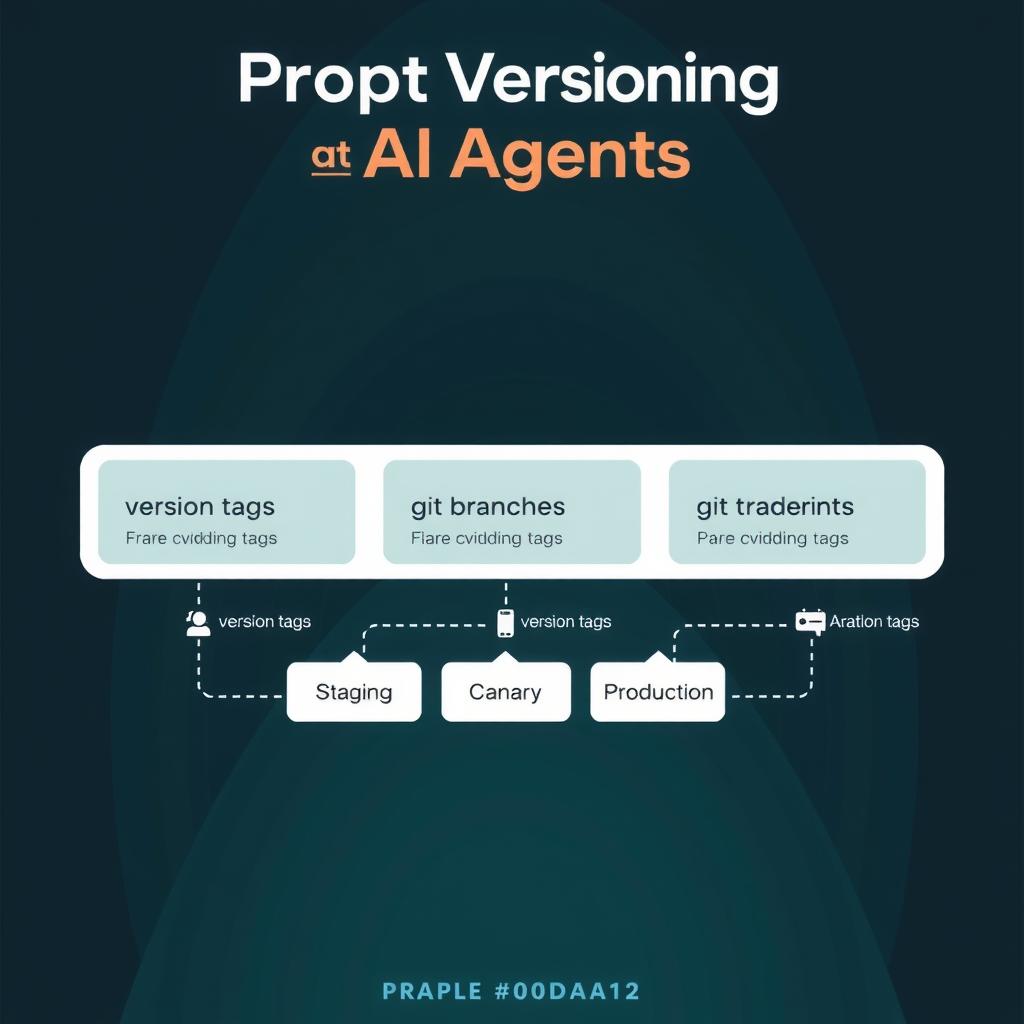
The bottom line: Most teams treat prompts as string literals hardcoded in agent source code. When a system prompt needs a fix, it requires a code change, a PR review, a deployment, and a rollback if it breaks — a cycle that takes hours for what should be a configuration change. This guide walks through building a prompt management system with version control, staging promotion, A/B testing, and evaluation gates, using a lightweight Python prompt registry you can run today.
Why Prompts Need Their Own Release Process
A production agent’s behavior is defined by its prompts — system instructions, tool descriptions, few-shot examples, and guardrails. Changing any of them changes what the agent does. But unlike code, prompts have a different failure profile braintrust.dev/articles/best-prompt-versioning-tools-2025:
| Aspect | Code change | Prompt change |
|---|---|---|
| Failure mode | Compile/runtime error, crash | Silent quality degradation |
| Detection time | Seconds (CI pipeline) | Hours to days (user reports) |
| Rollback cost | git revert + deploy |
Must redeploy old prompt |
| Testability | Unit tests, type checking | Evaluation datasets, human review |
| Surface area | Single function | Entire agent conversation |
Teams that treat prompts as configuration — versioned, staged, evaluated, and deployed independently — ship prompt changes 5-10x faster than teams that hardcode them, with fewer regressions mlflow.org/articles/top-llm-prompt-versioning-platforms-3/. The tools exist: Braintrust, Langfuse, MLflow, and Humanloop all offer prompt management platforms. But you don’t need a SaaS product to start — a git-based prompt registry with evaluation gates covers 80% of the value.
braintrust.dev/articles/best-prompt-versioning-tools-2025 mlflow.org/articles/top-llm-prompt-versioning-platforms-3/
What You’re Building
A prompt management system with four layers:
- A git-based prompt registry — Prompts stored as YAML files with semantic versioning, separate from source code
- A Python client library — Load prompts by name and version at runtime
- An evaluation gate — Automated tests that block prompt changes that degrade quality
- A/B testing infrastructure — Traffic splitting between prompt versions with metric tracking
The full code is under 300 lines and works with any agent framework — LangGraph, OpenAI Agents SDK, Claude API, or custom harnesses.
Prerequisites
- Python 3.10+
- A git repository (this is where prompts live)
- Pydantic 2.x:
pip install pydantic pyyaml - For evaluation:
pip install pytest deepeval(or your preferred eval framework) - For A/B testing: Redis (optional, for distributed traffic splitting)
Step 1: Designing the Prompt Registry Schema
The registry stores prompts as YAML files with metadata that enables versioning, staging, and rollback.
# prompts/research-agent/system/v1.yaml
name: research-agent-system
version: "1.0.0"
created_at: "2026-06-15T10:00:00Z"
author: "agent-team"
tags: ["production", "research"]
checksum: "sha256:a1b2c3d4..."

# Full system prompt:
content: |
  You are a research agent. Your job is to:
  1. Analyze the user's research question
  2. Search for relevant information using available tools
  3. Synthesize findings into a structured report
  4. Cite all sources

  Rules:
  - Never fabricate sources. If you can't find information, say so.
  - Use the search_web tool before calling the LLM for synthesis.
  - Format responses as structured markdown with sections.
Each prompt version is immutable — once created, it’s never modified. A new version is a new file. This gives you exact reproducibility: you can always replay a past agent run using the same prompt version.
The directory layout enforces separation by agent, prompt type, and environment:
prompts/
├── research-agent/
│   ├── system/
│   │   ├── v1.yaml        # v1.0.0 (prod)
│   │   ├── v2.yaml        # v1.1.0 (staging)
│   │   └── v3.yaml        # v2.0.0 (canary)
│   └── few-shot/
│       └── v1.yaml
├── code-review-agent/
│   ├── system/
│   │   ├── v1.yaml
│   │   └── v2.yaml
│   └── tools/
│       └── v1.yaml
└── prompts.yaml           # Registry index (version aliases)
The registry index maps semantic aliases to concrete versions:
# prompts/prompts.yaml
agents:
  research-agent:
    system:
      production: "v1"        # Stable version for production
      staging: "v2"           # Candidate for promotion
      canary: "v3"            # Experimental, 5% traffic
      development: "v3"       # Latest for dev
    few-shot:
      production: "v1"
  code-review-agent:
    system:
      production: "v2"
Step 2: Building the Prompt Loader
The Python client reads prompts from the registry and loads them at runtime. It supports version pinning, environment-based resolution, and cacheing.
# prompt_registry/client.py
import hashlib
import os
from datetime import datetime
from pathlib import Path
from typing import Optional
import yaml
from pydantic import BaseModel, Field


class PromptVersion(BaseModel):
    """A single immutable prompt version."""
    name: str
    version: str
    created_at: str
    author: str
    tags: list[str] = []
    checksum: Optional[str] = None
    content: str


class PromptRegistry:
    """Loads prompts from a git-based YAML registry."""

    def __init__(self, registry_path: str | Path):
        self.registry_path = Path(registry_path)
        self._index: dict | None = None
        self._cache: dict[str, PromptVersion] = {}

    def _load_index(self) -> dict:
        if self._index is None:
            index_path = self.registry_path / "prompts.yaml"
            with open(index_path) as f:
                self._index = yaml.safe_load(f)
        return self._index

    def resolve(self, agent: str, prompt_type: str,
                env: str = "production") -> str:
        """Resolve an environment alias to a concrete version ID."""
        index = self._load_index()
        try:
            version = index["agents"][agent][prompt_type][env]
        except KeyError:
            raise ValueError(f"No prompt found: {agent}/{prompt_type}/{env}")
        return version

    def load(self, agent: str, prompt_type: str,
             env: str = "production",
             version: Optional[str] = None) -> PromptVersion:
        """Load a prompt version by agent, type, and environment."""
        version_id = version or self.resolve(agent, prompt_type, env)
        cache_key = f"{agent}/{prompt_type}/{version_id}"

        if cache_key in self._cache:
            return self._cache[cache_key]

        prompt_path = self.registry_path / agent / prompt_type / f"{version_id}.yaml"
        with open(prompt_path) as f:
            data = yaml.safe_load(f)

        prompt = PromptVersion(
            name=data["name"],
            version=data["version"],
            created_at=data["created_at"],
            author=data.get("author", "unknown"),
            tags=data.get("tags", []),
            checksum=data.get("checksum"),
            content=data["content"],
        )
        self._cache[cache_key] = prompt
        return prompt

    def get_content(self, agent: str, prompt_type: str,
                    env: str = "production") -> str:
        """Convenience method: return just the prompt text."""
        return self.load(agent, prompt_type, env).content
Usage in your agent code:
from prompt_registry.client import PromptRegistry

registry = PromptRegistry("./prompts")

# Load the production system prompt for the research agent
system_prompt = registry.get_content(
    agent="research-agent",
    prompt_type="system",
    env=os.getenv("PROMPT_ENV", "production"),
)

# Use it with any agent framework
response = openai_client.chat.completions.create(
    model="gpt-4o",
    messages=[
        {"role": "system", "content": system_prompt},
        {"role": "user", "content": user_query},
    ],
)
To switch environments, set PROMPT_ENV=staging in your deployment config. No code changes, no redeploys.
Step 3: Versioning Prompts with Git
Since prompts are YAML files in a prompts/ directory, git is your version control. Every prompt change goes through the same git workflow as code:
# Create a new prompt version
cp prompts/research-agent/system/v2.yaml prompts/research-agent/system/v3.yaml

# Edit v3 with the new content
# Then update the registry index to point staging to v3
But manual version bumps are error-prone. Automate it:
# prompt_registry/version.py
import hashlib
from datetime import datetime, timezone


def create_prompt_version(
    agent: str,
    prompt_type: str,
    content: str,
    author: str,
    prev_version: str | None = None,
    bump: str = "minor",
) -> dict:
    """Create a new prompt version with metadata."""
    major, minor, patch = 1, 0, 0
    if prev_version:
        parts = prev_version.split(".")
        major, minor, patch = int(parts[0]), int(parts[1]), int(parts[2])
        if bump == "major":
            major += 1
            minor, patch = 0, 0
        elif bump == "minor":
            minor += 1
            patch = 0
        else:
            patch += 1

    checksum = hashlib.sha256(content.encode()).hexdigest()[:12]

    return {
        "name": f"{agent}-{prompt_type}",
        "version": f"{major}.{minor}.{patch}",
        "created_at": datetime.now(timezone.utc).isoformat(),
        "author": author,
        "tags": [],
        "checksum": f"sha256:{checksum}",
        "content": content,
    }
The new-version CLI helper:
# scripts/new-prompt-version.sh
#!/bin/bash
AGENT=$1
TYPE=$2
BUMP=${3:-minor}

# Find the latest version
LAST=$(ls prompts/$AGENT/$TYPE/v*.yaml 2>/dev/null | sort -V | tail -1)
if [ -z "$LAST" ]; then
  NEXT="v1"
else
  # Extract version number and increment
  NUM=$(echo "$LAST" | grep -oP 'v\K\d+')
  NEXT="v$((NUM + 1))"
fi

# Copy last version as template
cp "$LAST" "prompts/$AGENT/$TYPE/$NEXT.yaml" 2>/dev/null || \
  touch "prompts/$AGENT/$TYPE/$NEXT.yaml"

echo "Created prompts/$AGENT/$TYPE/$NEXT.yaml — edit the content, then update prompts.yaml"
The key rule: every prompt change gets its own git commit with a structured message:
git add prompts/
git commit -m "prompt(research-agent): v1.0.0→v1.1.0 update tool descriptions

- Added explicit citation format instructions
- Clarified search_before_synthesis rule
- Bumped minor version

Prompt diff: prompts/research-agent/system/v{1..2}.yaml"
This gives you a full git history of every prompt change, with who changed what and why. You can git bisect prompt regressions the same way you debug code regressions confident-ai.com/knowledge-base/compare/best-ai-prompt-management-t….
confident-ai.com/knowledge-base/compare/best-ai-prompt-management-t…
Step 4: Adding Evaluation Gates
Prompts that degrade silently are worse than code that breaks loudly. An evaluation gate runs automated tests against every new prompt version and blocks promotion if quality drops below a threshold.
# prompt_registry/eval_gate.py
import json
from pathlib import Path
from typing import Callable
from prompt_registry.client import PromptRegistry


class EvalGate:
    """Runs evaluation tests against a prompt version."""

    def __init__(self, registry: PromptRegistry, test_cases_path: str):
        self.registry = registry
        self.test_cases = self._load_test_cases(test_cases_path)

    def _load_test_cases(self, path: str) -> list[dict]:
        path = Path(path)
        if path.suffix == ".json":
            with open(path) as f:
                return json.load(f)
        raise ValueError(f"Unsupported format: {path.suffix}")

    def evaluate_prompt(
        self,
        agent: str,
        prompt_type: str,
        version: str,
        llm_call: Callable,
        metrics: list[str] = None,
    ) -> dict:
        """Evaluate a prompt version against test cases."""
        prompt = self.registry.get_content(agent, prompt_type, version=version)
        results = {"version": version, "cases": [], "passed": 0, "failed": 0}

        for case in self.test_cases:
            response = llm_call(prompt, case["input"])

            case_result = {
                "id": case["id"],
                "input": case["input"],
                "expected_behavior": case.get("expected_behavior"),
                "response": response,
                "passed": True,
                "checks": [],
            }

            # Check 1: Required keywords present
            for keyword in case.get("required_keywords", []):
                found = keyword.lower() in response.lower()
                case_result["checks"].append({
                    "type": "keyword",
                    "keyword": keyword,
                    "found": found,
                })
                if not found:
                    case_result["passed"] = False

            # Check 2: Forbidden keywords absent
            for keyword in case.get("forbidden_keywords", []):
                found = keyword.lower() in response.lower()
                case_result["checks"].append({
                    "type": "forbidden",
                    "keyword": keyword,
                    "found": found,
                })
                if found:
                    case_result["passed"] = False

            # Check 3: Custom evaluator function
            if "evaluator" in case:
                try:
                    eval_result = case["evaluator"](response, case)
                    case_result["passed"] = case_result["passed"] and eval_result
                except Exception:
                    case_result["passed"] = False

            if case_result["passed"]:
                results["passed"] += 1
            else:
                results["failed"] += 1

            results["cases"].append(case_result)

        pass_rate = results["passed"] / len(self.test_cases)
        results["pass_rate"] = pass_rate
        return results
Define test cases as JSON:
[
  {
    "id": "citation-format",
    "input": "What is the capital of France?",
    "expected_behavior": "cites sources in [N] format",
    "required_keywords": ["[1]", "Paris", "France"],
    "forbidden_keywords": ["I think", "probably", "maybe"]
  },
  {
    "id": "no-fabrication",
    "input": "What was the GDP of Wakanda in 2025?",
    "expected_behavior": "admits lack of information",
    "required_keywords": ["don't have", "cannot", "not available"],
    "forbidden_keywords": ["approximately", "estimated"]
  }
]
Run the gate as part of CI:
# scripts/evaluate-prompt.py
import sys
import os
from openai import OpenAI
from prompt_registry.client import PromptRegistry
from prompt_registry.eval_gate import EvalGate


def main():
    agent = sys.argv[1]
    prompt_type = sys.argv[2]
    version = sys.argv[3]

    registry = PromptRegistry("./prompts")
    gate = EvalGate(registry, f"./tests/prompts/{agent}.json")

    client = OpenAI()

    def llm_call(system: str, user: str) -> str:
        resp = client.chat.completions.create(
            model="gpt-4o-mini",
            messages=[
                {"role": "system", "content": system},
                {"role": "user", "content": user},
            ],
            temperature=0,
        )
        return resp.choices[0].message.content or ""

    results = gate.evaluate_prompt(agent, prompt_type, version, llm_call)

    print(f"Version: {results['version']}")
    print(f"Pass rate: {results['pass_rate']:.0%}")
    print(f"Passed: {results['passed']}/{results['failed'] + results['passed']}")

    for case in results["cases"]:
        status = "PASS" if case["passed"] else "FAIL"
        print(f"  [{status}] {case['id']}")

    # Exit code signals CI pass/fail
    threshold = float(os.getenv("PROMPT_EVAL_THRESHOLD", "0.8"))
    sys.exit(0 if results["pass_rate"] >= threshold else 1)


if __name__ == "__main__":
    main()
In your CI pipeline, add a step that runs before any prompt promotion:
# .github/workflows/prompt-eval.yml (excerpt)
- name: Evaluate prompt version
  run: |
    python scripts/evaluate-prompt.py research-agent system v3
  env:
    OPENAI_API_KEY: ${{ secrets.OPENAI_API_KEY }}
    PROMPT_EVAL_THRESHOLD: "0.85"
If the pass rate drops below 0.85, the pipeline fails and the prompt never reaches staging or production. This is the same pattern as unit tests blocking a bad code merge — but applied to prompts .
Confident AI, “5 Best AI Prompt Management Tools with Built-In LLM Observability” — confident-ai.com/knowledge-base/compare/best-ai-prompt-management-tools-with-llm-observability-2026
Step 5: A/B Testing Prompts in Production
An evaluation gate catches gross regressions, but it can’t tell you if prompt v3 actually performs better than v2 in production. For that, you need A/B testing — split traffic between two prompt versions and measure real-world outcomes.
The pattern: route a small percentage of requests to a canary prompt version, track key metrics (task success, cost, latency), and promote when the canary meets or beats the production baseline .
# prompt_registry/ab_test.py
import random
import json
from datetime import datetime, timezone
from typing import Optional


class ABTestConfig:
    """Configuration for a prompt A/B test."""

    def __init__(
        self,
        agent: str,
        prompt_type: str,
        control_version: str,
        treatment_version: str,
        treatment_weight: float = 0.05,
        metrics: list[str] = None,
    ):
        self.agent = agent
        self.prompt_type = prompt_type
        self.control = control_version
        self.treatment = treatment_version
        self.treatment_weight = treatment_weight
        self.metrics = metrics or ["task_success", "latency_ms", "cost_usd"]


class ABTestTracker:
    """Records A/B test results for analysis."""

    def __init__(self, output_path: str = "./ab_test_results"):
        self.output_path = output_path

    def assign_variant(self, config: ABTestConfig, session_id: str) -> str:
        """Deterministically assign a session to control or treatment."""
        # Use session_id for deterministic routing
        hash_val = hash(f"{config.agent}:{session_id}") % 10000
        if hash_val / 10000 < config.treatment_weight:
            return config.treatment
        return config.control

    def record_result(
        self,
        config: ABTestConfig,
        session_id: str,
        variant: str,
        metrics: dict,
    ):
        """Record an A/B test result."""
        record = {
            "timestamp": datetime.now(timezone.utc).isoformat(),
            "agent": config.agent,
            "prompt_type": config.prompt_type,
            "session_id": session_id,
            "variant": variant,
            "control_version": config.control,
            "treatment_version": config.treatment,
            "metrics": metrics,
        }
        # Append to a JSON-lines file for analysis
        filepath = f"{self.output_path}/{config.agent}.jsonl"
        with open(filepath, "a") as f:
            f.write(json.dumps(record) + "\n")
Integrate into your agent runtime:
# Inside your agent handler
from prompt_registry.ab_test import ABTestConfig, ABTestTracker

config = ABTestConfig(
    agent="research-agent",
    prompt_type="system",
    control_version="v1",
    treatment_version="v3",
    treatment_weight=0.05,  # 5% of traffic
)

tracker = ABTestTracker()

# Assign variant based on session
session_id = request.headers.get("X-Session-ID", str(uuid4()))
variant = tracker.assign_variant(config, session_id)

# Load the appropriate prompt
system_prompt = registry.get_content(
    "research-agent", "system", version=variant,
)

# Run the agent...
result = agent.run(system_prompt, user_query)

# Record metrics
tracker.record_result(config, session_id, variant, {
    "task_success": 1 if result.completed else 0,
    "latency_ms": result.latency_ms,
    "cost_usd": result.total_cost,
    "tool_calls": result.tool_call_count,
})
After collecting enough data (Future AGI recommends a minimum sample size determined by power analysis — typically 100-500 samples per variant depending on the effect size), analyze the results :
# analyze_ab_test.py
import json
from collections import defaultdict
from statistics import mean, stdev


def analyze_test(agent: str, metric: str = "task_success"):
    """Analyze A/B test results for a specific agent and metric."""
    groups = defaultdict(list)

    with open(f"./ab_test_results/{agent}.jsonl") as f:
        for line in f:
            record = json.loads(line)
            variant = record["variant"]
            value = record["metrics"][metric]
            groups[variant].append(value)

    for variant, values in groups.items():
        n = len(values)
        avg = mean(values)
        print(f"{variant}: n={n}, mean={avg:.4f}")

    # Simple significance check (chi-squared for binary metrics)
    control = groups.get("v1", [])
    treatment = groups.get("v3", [])
    if control and treatment:
        import scipy.stats as stats
        from numpy import array

        # 2x2 contingency table
        table = array([
            [sum(control), len(control) - sum(control)],
            [sum(treatment), len(treatment) - sum(treatment)],
        ])
        chi2, p = stats.chi2_contingency(table)[:2]
        print(f"p-value: {p:.4f}")
        if p < 0.05:
            print("Statistically significant — consider promoting!")
        else:
            print("Not yet significant — continue collecting data.")
The A/B testing infrastructure gives you data-driven decisions about prompt changes. A prompt that passes evaluation gates but degrades real-world task success by 3% will be caught before it reaches all users .
BuildMVPFast, “A/B Testing AI Agents — Experiment with Agent Behavior” — buildmvpfast.com/blog/ab-testing-ai-agents-experiment-production-behavior-2026 Future AGI, “A/B Testing LLM Prompts: The Statistical Playbook (2026)” — futureagi.com/blog/ab-testing-llm-prompts-best-practices-2026/
Step 6: Promoting and Rolling Back
The promotion workflow follows a staged pipeline: development → canary (5%) → staging (evaluation gate) → production .
# scripts/promote-prompt.sh
#!/bin/bash
AGENT=$1
TYPE=$2
VERSION=$3

# Step 1: Run evaluation gate
echo "Running evaluation gate for $AGENT/$TYPE/$VERSION..."
python scripts/evaluate-prompt.py "$AGENT" "$TYPE" "$VERSION"
if [ $? -ne 0 ]; then
  echo "FAILED: Evaluation gate blocked promotion"
  exit 1
fi

# Step 2: Update registry index
python -c "
import yaml
with open('prompts/prompts.yaml') as f:
    index = yaml.safe_load(f)

# Push: canary→staging, current staging→production
current_staging = index['agents']['$AGENT']['$TYPE'].get('staging')
index['agents']['$AGENT']['$TYPE']['production'] = current_staging
index['agents']['$AGENT']['$TYPE']['staging'] = '$VERSION'

with open('prompts/prompts.yaml', 'w') as f:
    yaml.dump(index, f, default_flow_style=False)
print('Promoted $VERSION to staging')
"

# Step 3: Commit the change
git add prompts/prompts.yaml
git commit -m "prompt($AGENT): promote $TYPE/$VERSION to staging"
Rollback is even simpler — point the alias back to the previous version:
# Rollback production to v1
python -c "
import yaml
with open('prompts/prompts.yaml') as f:
    index = yaml.safe_load(f)
index['agents']['research-agent']['system']['production'] = 'v1'
with open('prompts/prompts.yaml', 'w') as f:
    yaml.dump(index, f)
"
git add prompts/prompts.yaml
git commit -m "prompt(research-agent): rollback system to v1"
No code deployment needed. The registry index change takes effect on the next prompt registry read — which, in a hot-reloaded worker, happens within seconds.
Comparison: DIY vs Managed Platforms
The approach above works well for teams that want full control and no external dependency. But managed platforms add features that matter at scale :
| Feature | DIY git-based registry | Managed (Langfuse / Braintrust / MLflow) |
|---|---|---|
| Version storage | YAML files in git | Hosted API + UI |
| Evaluation | Custom scripts | Built-in evaluators + human review |
| A/B testing | Custom JSONL + analysis | Built-in traffic splitting + dashboards |
| Latency tracking | Manual instrumentation | Automatic span-level tracing |
| Team collaboration | Git PRs + reviews | Web UI + comments |
| Cost attribution | Custom implementation | Automatic per-prompt billing |
| Setup time | 2-3 hours | 15 minutes (API key) |
| Vendor lock-in | None | Data in proprietary store |
| Audit trail | Git log | Platform audit log |
| Hot-reload | Depends on worker setup | Pushed via SDK |
Start DIY and migrate to a managed platform when you need collaboration features or built-in evaluation. The architecture is the same — only the storage backend changes.
Maxim AI, “Best Prompt Management Platform in 2026: A Buyer’s Guide” — getmaxim.ai/articles/best-prompt-management-platform-in-2026-a-buyers-guide/
Key Takeaways
-
Treat prompts as configuration, not code — Version them independently from your application with their own release pipeline and rollback strategy.
-
Immutability is your friend — Never edit a prompt version in place. Create a new version and update the registry alias. This gives you exact reproducibility for every agent run.
-
Evaluation gates prevent silent regressions — Automated prompt tests with pass/fail thresholds catch quality drops before they reach users, just like unit tests catch code bugs.
-
Canary deployments reduce blast radius — Route 5% of traffic to a new prompt version and measure real-world outcomes. Promote only when metrics confirm improvement .
-
The same architecture works DIY or managed — Start with a git-based registry and custom scripts. Move to Langfuse, Braintrust, or MLflow when your team needs collaboration features.
-
**Rollback Confident AI Prompt Management with Observability
References
braintrust.dev/articles/best-prompt-versioning-tools-2025 braintrust.dev/articles/best-prompt-versioning-tools-2025 mlflow.org/articles/top-llm-prompt-versioning-platforms-3/ mlflow.org/articles/top-llm-prompt-versioning-platforms-3/ confident-ai.com/knowledge-base/compare/best-ai-prompt-management-t… confident-ai.com/knowledge-base/compare/best-ai-prompt-management-tools-with-llm-observability-2026
📖 Related Reads
- CodeIntel Log — code quality, debugging, and software engineering benchmarks
- NoCode Insider — AI workflow automation with no-code tools, agents, and APIs
Cross-links automatically generated from NiteAgent.
← Back to all posts