The bottom line: Most multi-agent systems rely on one agent calling another’s API directly — a synchronous, tightly coupled pattern that breaks under load, loses work on failure, and makes it impossible to replay or backfill tasks. Message queues invert this: agents publish tasks as immutable messages, workers consume them independently, and the queue provides at-least-once delivery, backpressure, and dead-letter handling out of the box. This guide builds a production-grade coordination layer using Redis Streams in under 200 lines of Python.
Why Synchronous Agent Calls Don’t Scale
When Agent A needs Agent B to do something, the naive approach is a direct HTTP call: Agent A sends a request, blocks until Agent B responds, and if B is down the whole pipeline stalls. This works for demos. In production, synchronous agent-to-agent calls create three systemic problems augmentcode.com/guides/async-ai-agent-workflows:
- Cascading failures — One slow agent drags down every agent waiting for it
- No replay — If the orchestrator crashes mid-flow, in-flight work is lost
- Concurrency bottlenecks — The orchestrator must manage thread pools, timeouts, and retries manually
Message queues solve all three by decoupling producers (agents that assign work) from consumers (agents that execute it). The queue becomes the durable record of every task, its state, and its outcome.
| Problem | Synchronous approach | Queue-based approach |
|---|---|---|
| Failure isolation | One agent down stalls N callers | Down consumer = messages queue up, callers unaffected |
| Work durability | Lost on crash | Persisted in stream, replayable |
| Backpressure | Manual throttling | Consumer group auto-balances load |
| Retry logic | Custom timeout loops | Dead letter queue after N retries |
| Audit trail | Scattered in N service logs | Single append-only stream per task type |
augmentcode.com/guides/async-ai-agent-workflows
Architecture Overview
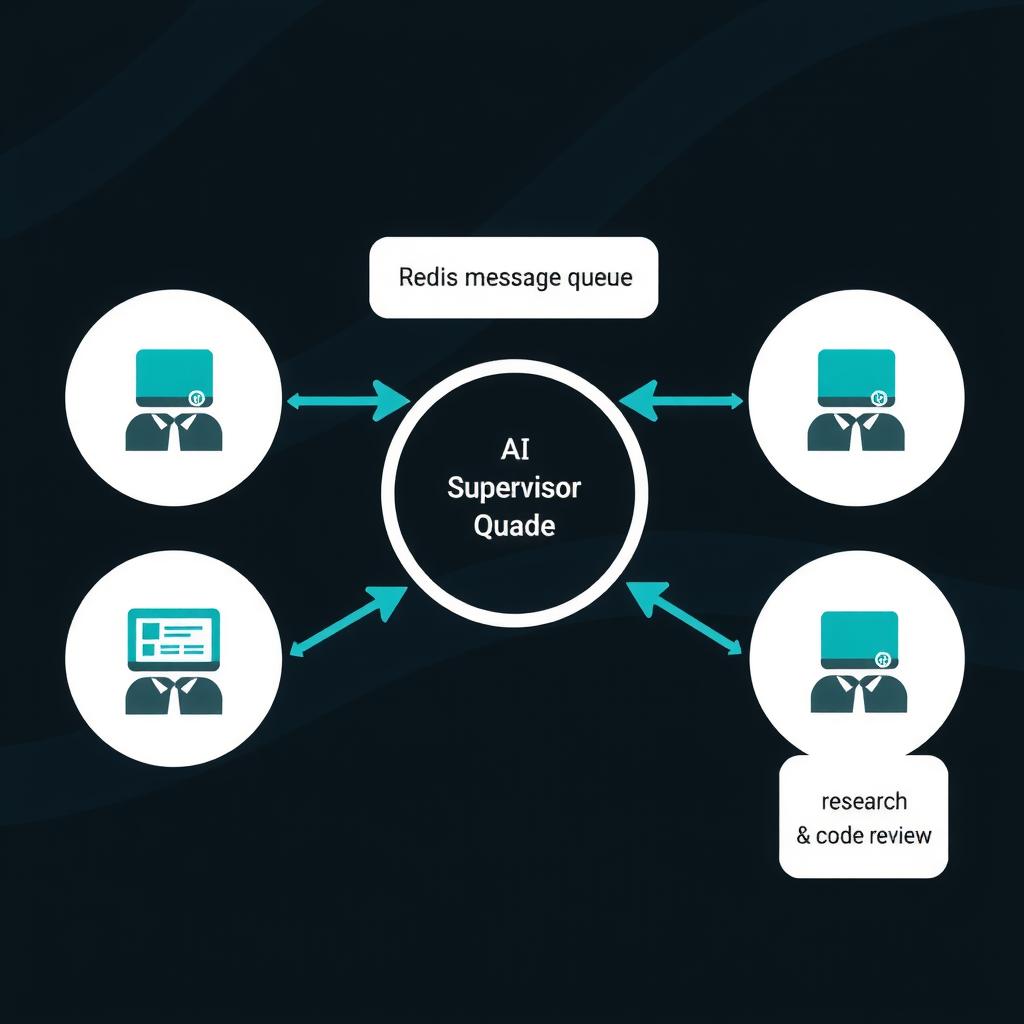
The system has four components:
┌─────────────┐     ┌─────────────────┐     ┌──────────────┐
│  Supervisor  │────▶│  Redis Streams  │────▶│ Research     │
│  Agent       │     │  (task queue)   │     │ Agent Worker │
│              │     │                 │     │              │
│  Publishes   │     │  consumer grp 1 │     │ Consumes     │
│  research    │     │  DLQ on fail    │     │ tasks,       │
│  tasks       │     │  ack on success │     │ publishes   │
└─────────────┘     └─────────────────┘     │ results      │
                      │                     └──────────────┘
                      │                     ┌──────────────┐
                      ├────────────────────▶│ Code Review  │
                      │  consumer grp 2     │ Agent Worker │
                      │                     └──────────────┘
                      │                     ┌──────────────┐
                      ├────────────────────▶│ Report Gen   │
                      │  consumer grp 3     │ Agent Worker │
                      │                     └──────────────┘
Each agent type has its own consumer group on the same stream. Multiple workers in a group share the load. Failed tasks move to a dead letter stream after retry exhaustion.
Prerequisites
- Python 3.10+
- Redis 7.x:
docker run -d -p 6379:6379 redis:7-alpine pip install redis pydantic- Any agent framework (OpenAI SDK, LangGraph, Claude API — the pattern is framework-agnostic)
Step 1: Define the Task Schema
Every message in the queue needs a schema so agents know what to expect. Pydantic models enforce structure at the producer and consumer boundaries.
# agent_queue/models.py
from pydantic import BaseModel, Field
from typing import Any, Optional
from datetime import datetime, timezone
import json


class AgentTask(BaseModel):
    """A unit of work for an agent to execute."""
    task_id: str = Field(description="Unique ID for deduplication")
    agent_type: str = Field(description="Target agent: research, review, report")
    action: str = Field(description="What to do: analyze, search, generate")
    payload: dict = Field(default_factory=dict, description="Task-specific data")
    priority: int = Field(default=0, ge=0, le=10)
    max_retries: int = Field(default=3)
    created_at: str = Field(
        default_factory=lambda: datetime.now(timezone.utc).isoformat()
    )
    trace_id: Optional[str] = Field(
        default=None, description="Correlation ID across tasks"
    )


class TaskResult(BaseModel):
    """Outcome of an executed agent task."""
    task_id: str
    agent_type: str
    status: str = Field(pattern="^(success|failure|skipped)$")
    output: Optional[dict] = None
    error: Optional[str] = None
    duration_ms: int = 0
    completed_at: str = Field(
        default_factory=lambda: datetime.now(timezone.utc).isoformat()
    )


def task_to_stream(task: AgentTask) -> dict[str, Any]:
    """Serialize a task to Redis Stream field-value pairs."""
    return {"data": task.model_dump_json()}


def task_from_stream(data: dict[str, Any]) -> AgentTask:
    """Deserialize a task from Redis Stream."""
    raw = data.get("data", "{}")
    return AgentTask(**json.loads(raw))
The AgentTask includes a trace_id for correlating tasks that belong to the same end-to-end agent workflow — essential when debugging multi-agent pipelines.
Step 2: Build the Producer (Task Publisher)
The producer publishes tasks to a Redis Stream. Each task becomes an immutable entry in the stream — it cannot be modified, only consumed or moved to a dead letter stream.
# agent_queue/producer.py
import uuid
from datetime import datetime, timezone
from redis.asyncio import Redis
from .models import AgentTask, task_to_stream


class TaskProducer:
    """Publishes agent tasks to Redis Streams."""

    def __init__(self, redis: Redis):
        self.redis = redis

    async def dispatch(
        self,
        agent_type: str,
        action: str,
        payload: dict | None = None,
        priority: int = 0,
        trace_id: str | None = None,
        max_retries: int = 3,
    ) -> AgentTask:
        """Create and publish a task, returning the task object."""
        task = AgentTask(
            task_id=f"{agent_type}-{uuid.uuid4().hex[:8]}",
            agent_type=agent_type,
            action=action,
            payload=payload or {},
            priority=priority,
            max_retries=max_retries,
            trace_id=trace_id or uuid.uuid4().hex[:12],
        )
        # XADD adds an entry to the stream. * means auto-generate the ID.
        entry_id = await self.redis.xadd(
            f"agent:tasks:{agent_type}",
            task_to_stream(task),
            maxlen=100_000,  # Cap total entries to prevent memory growth
        )
        return task

    async def dispatch_batch(
        self, tasks: list[tuple[str, str, dict]]
    ) -> list[AgentTask]:
        """Publish multiple tasks in a pipeline."""
        results = []
        async with self.redis.pipeline(transaction=True) as pipe:
            for agent_type, action, payload in tasks:
                task = AgentTask(
                    task_id=f"{agent_type}-{uuid.uuid4().hex[:8]}",
                    agent_type=agent_type,
                    action=action,
                    payload=payload,
                )
                pipe.xadd(
                    f"agent:tasks:{agent_type}",
                    task_to_stream(task),
                    maxlen=100_000,
                )
                results.append(task)
            await pipe.execute()
        return results
Key details:
- Separate streams per agent type (
agent:tasks:research,agent:tasks:review) so consumer groups don’t compete for entries meant for other agents maxlen=100_000caps stream size. When exceeded, Redis trims the oldest entries — a safety valve against runaway producers- Pipeline for batch dispatch — multiple tasks in a single round trip, wrapped in a transaction
Usage in a supervisor agent:
from redis.asyncio import Redis
from agent_queue.producer import TaskProducer

redis = Redis.from_url("redis://localhost:6379")
producer = TaskProducer(redis)

# Supervisor dispatches research work
task = await producer.dispatch(
    agent_type="research",
    action="analyze_codebase",
    payload={
        "repo": "https://github.com/org/my-project",
        "depth": "full",
        "focus_areas": ["security", "performance"],
    },
    trace_id="wf-20260701-001",
)
print(f"Dispatched {task.task_id} → stream agent:tasks:research")
Step 3: Build the Consumer (Task Worker)
The consumer reads tasks from the stream, executes them, and acknowledges completion. Redis Consumer Groups handle partitioning — each worker in a group gets a unique subset of messages automatically.
# agent_queue/consumer.py
import asyncio
import time
from typing import Callable, Awaitable
from redis.asyncio import Redis
from .models import AgentTask, TaskResult, task_from_stream


class TaskConsumer:
    """Consumes tasks from a Redis Stream consumer group."""

    def __init__(
        self,
        redis: Redis,
        agent_type: str,
        handler: Callable[[AgentTask], Awaitable[TaskResult]],
        group_name: str = "default",
        consumer_name: str | None = None,
        batch_size: int = 10,
        poll_interval: float = 1.0,
    ):
        self.redis = redis
        self.stream_key = f"agent:tasks:{agent_type}"
        self.group_name = group_name
        self.consumer_name = consumer_name or f"worker-{id(self):x}"
        self.handler = handler
        self.batch_size = batch_size
        self.poll_interval = poll_interval
        self._running = False

    async def start(self):
        """Ensure the consumer group exists, then begin polling."""
        try:
            await self.redis.xgroup_create(
                self.stream_key,
                self.group_name,
                id="0",  # Start from beginning if group is new
                mkstream=True,
            )
        except Exception:
            # Group already exists — that's fine
            pass

        self._running = True
        await self._poll_loop()

    async def stop(self):
        self._running = False

    async def _poll_loop(self):
        while self._running:
            try:
                # XREADGROUP reads messages assigned to this consumer
                result = await self.redis.xreadgroup(
                    groupname=self.group_name,
                    consumername=self.consumer_name,
                    streams={self.stream_key: ">"},  # Only unread messages
                    count=self.batch_size,
                    block=2000,  # Block up to 2s if no messages
                )

                if not result:
                    continue

                for stream_name, messages in result:
                    for msg_id, msg_data in messages:
                        await self._process_message(msg_id, msg_data)

            except Exception as e:
                print(f"[{self.consumer_name}] poll error: {e}")
                await asyncio.sleep(self.poll_interval)

    async def _process_message(self, msg_id: str, msg_data: dict):
        task = task_from_stream(msg_data)
        start = time.monotonic()

        try:
            result = await self.handler(task)
            result.duration_ms = int((time.monotonic() - start) * 1000)

            if result.status == "success":
                # Acknowledge — remove from pending list
                await self.redis.xack(self.stream_key, self.group_name, msg_id)
            else:
                await self._handle_failure(msg_id, task, result.error)

        except Exception as e:
            await self._handle_failure(msg_id, task, str(e))

    async def _handle_failure(
        self, msg_id: str, task: AgentTask, error: str | None
    ):
        """Track retries and move to dead letter queue if exhausted."""
        # Get current retry count from pending message info
        pending = await self.redis.xpending(
            self.stream_key, self.group_name
        )
        retry_count = 0
        for p in pending.get(task.task_id, []):
            retry_count = p.get("delivery_count", 0)

        if retry_count >= task.max_retries:
            # Move to dead letter stream
            await self.redis.xadd(
                f"agent:dlq:{task.agent_type}",
                {
                    "task": task.model_dump_json(),
                    "error": error or "unknown",
                    "retries": retry_count,
                },
            )
            # Acknowledge the original message to remove it from pending
            await self.redis.xack(
                self.stream_key, self.group_name, msg_id
            )
            print(f"[DLQ] {task.task_id} after {retry_count} retries")
        else:
            # Let it remain pending — Redis will redeliver to another consumer
            print(f"[RETRY {retry_count+1}/{task.max_retries}] {task.task_id}")
The consumer group gives you three behaviors for free:
- At-least-once delivery — If a consumer crashes before acknowledging, Redis redelivers the message to another consumer in the group
- Auto-load-balancing — Add more workers in the same group; Redis splits the pending messages across them
- Pending list inspection —
XPENDINGshows which consumers have unacknowledged messages and how many times each has been retried
Step 4: Wire a Real Agent as a Consumer
Here’s a concrete agent implementation that consumes tasks from the queue:
# agents/research_agent.py
import asyncio
from redis.asyncio import Redis
from agent_queue.consumer import TaskConsumer
from agent_queue.models import AgentTask, TaskResult


async def handle_research_task(task: AgentTask) -> TaskResult:
    """Execute a research task. Replace this with your actual agent logic."""
    print(f"[research] Processing: {task.action} — {task.payload}")

    # Simulate agent work (replace with real LLM calls)
    if task.action == "analyze_codebase":
        # Your agent logic here — LangGraph, OpenAI SDK, Claude, etc.
        await asyncio.sleep(2)  # Real work
        output = {
            "findings": ["Found 3 security issues", "2 performance bottlenecks"],
            "files_analyzed": 47,
        }
        return TaskResult(
            task_id=task.task_id,
            agent_type="research",
            status="success",
            output=output,
        )
    elif task.action == "search_docs":
        await asyncio.sleep(1)
        return TaskResult(
            task_id=task.task_id,
            agent_type="research",
            status="success",
            output={"sources": ["docs/page1.md", "docs/page2.md"]},
        )
    else:
        return TaskResult(
            task_id=task.task_id,
            agent_type="research",
            status="failure",
            error=f"Unknown action: {task.action}",
        )


async def main():
    redis = Redis.from_url("redis://localhost:6379")

    # Two workers in the same consumer group for load balancing
    worker1 = TaskConsumer(
        redis=redis,
        agent_type="research",
        handler=handle_research_task,
        group_name="research-workers",
        consumer_name="research-w1",
    )
    worker2 = TaskConsumer(
        redis=redis,
        agent_type="research",
        handler=handle_research_task,
        group_name="research-workers",
        consumer_name="research-w2",
    )

    await asyncio.gather(worker1.start(), worker2.start())


if __name__ == "__main__":
    asyncio.run(main())
With two workers in the same consumer group, Redis automatically splits incoming tasks. If research-w1 crashes mid-task, its pending messages are redelivered to research-w2 within the next read cycle.
Step 5: The Supervisor Agent — Orchestrating Multi-Step Workflows
The supervisor agent dispatches tasks and collects results. Using await on individual tasks would reintroduce synchronous coupling. Instead, the supervisor publishes all tasks, then polls a result stream:
# agents/supervisor.py
import asyncio
import json
from redis.asyncio import Redis
from agent_queue.producer import TaskProducer


class SupervisorAgent:
    """Orchestrates multi-agent workflows via message queues."""

    def __init__(self, redis: Redis):
        self.producer = TaskProducer(redis)
        self.redis = redis

    async def run_research_workflow(self, repo_url: str):
        """Coordinate a full analysis pipeline."""
        trace_id = f"wf-{asyncio.get_event_loop().time():.0f}"

        # Step 1: Fan-out independent research tasks
        tasks = await self.producer.dispatch_batch([
            ("research", "analyze_codebase", {"repo": repo_url, "depth": "security"}),
            ("research", "analyze_codebase", {"repo": repo_url, "depth": "performance"}),
            ("research", "search_docs", {"repo": repo_url, "query": "architecture"}),
        ])

        print(f"Dispatched {len(tasks)} tasks [{trace_id}]")

        # Step 2: Wait for all results (poll-based, not blocking on each)
        results = await self._await_results(tasks, timeout=120)

        # Step 3: Dispatch downstream tasks once upstream completes
        if all(r["status"] == "success" for r in results):
            await self.producer.dispatch(
                agent_type="report",
                action="generate_summary",
                payload={"findings": [r["output"] for r in results]},
                trace_id=trace_id,
            )
            print(f"All research tasks passed. Dispatched report generation.")
        else:
            print(f"Research failed. Results: {results}")

        return results

    async def _await_results(
        self, tasks: list, timeout: int
    ) -> list[dict]:
        """Poll the result stream until all tasks complete or timeout."""
        results = {}
        deadline = asyncio.get_event_loop().time() + timeout

        while asyncio.get_event_loop().time() < deadline:
            # Read from the results stream
            entries = await self.redis.xread(
                streams={"agent:results": "0-0"},  # Use last-read ID in prod
                count=10,
                block=2000,
            )

            for stream, messages in entries:
                for msg_id, msg_data in messages:
                    result = json.loads(msg_data["data"])
                    results[result["task_id"]] = result

            # Check if all tasks have results
            if all(t.task_id in results for t in tasks):
                break
            await asyncio.sleep(0.5)

        return [results.get(t.task_id, {"status": "timeout"}) for t in tasks]
The supervisor never blocks on a single agent. It fires all tasks in parallel, polls results asynchronously, and advances the workflow only when preconditions are met. This is the fan-out pattern that queues make trivial and direct HTTP calls make painful blogs.oracle.com/developers/the-agent-communication-matrix-when-mcp….
blogs.oracle.com/developers/the-agent-communication-matrix-when-mcp…
Step 6: Dead Letter Queue and Recovery
Not every task succeeds. When retries are exhausted, the message moves to a dead letter stream. A recovery process can inspect, repair, and replay those messages:
# agent_queue/recovery.py
import asyncio
from redis.asyncio import Redis
from .models import AgentTask, task_to_stream


class DLQRecovery:
    """Inspect and replay dead letter queue messages."""

    def __init__(self, redis: Redis):
        self.redis = redis

    async def list_dlq(self, agent_type: str | None = None) -> list[dict]:
        """List all messages in dead letter queues."""
        pattern = f"agent:dlq:{agent_type or '*'}"
        cursor = 0
        entries = []

        while True:
            cursor, keys = await self.redis.scan(
                cursor=cursor, match=pattern, count=100
            )
            for key in keys:
                messages = await self.redis.xrange(key, count=10)
                for msg_id, msg_data in messages:
                    entries.append({
                        "stream": key,
                        "msg_id": msg_id,
                        **msg_data,
                    })
            if cursor == 0:
                break
        return entries

    async def replay(self, dlq_stream: str, msg_id: str,
                     target_stream: str) -> bool:
        """Replay a DLQ message to its original stream."""
        messages = await self.redis.xrange(
            dlq_stream, min=msg_id, max=msg_id
        )
        if not messages:
            return False

        _, msg_data = messages[0]
        task = AgentTask(**json.loads(msg_data["task"]))

        # Re-publish to the original stream
        await self.redis.xadd(target_stream, task_to_stream(task))
        # Remove from DLQ
        await self.redis.xdel(dlq_stream, msg_id)
        return True

    async def replay_all(self, agent_type: str):
        """Replay all DLQ messages for a given agent type."""
        dlq_stream = f"agent:dlq:{agent_type}"
        target_stream = f"agent:tasks:{agent_type}"
        messages = await self.redis.xrange(dlq_stream)

        count = 0
        for msg_id, msg_data in messages:
            if await self.replay(dlq_stream, msg_id, target_stream):
                count += 1

        print(f"Replayed {count} messages from {dlq_stream}")
        return count
This recovery layer is why message queues beat in-memory task tracking. The dead tasks aren’t lost — they’re sitting in a stream waiting for inspection. You can fix the issue (e.g., a bug in the agent handler, a missing API key) and replay them without losing the original context towardsdatascience.com/the-multi-agent-trap.
towardsdatascience.com/the-multi-agent-trap
Step 7: Observability — Tracking Every Task
Every message in the stream has a trace_id. Use Redis Streams’ built-in monitoring to track workflow health:
# agent_queue/monitor.py
from redis.asyncio import Redis


class WorkflowMonitor:
    """Expose stream metrics for dashboards and alerting."""

    def __init__(self, redis: Redis):
        self.redis = redis

    async def stream_stats(self) -> dict:
        """Return metrics for all agent task streams."""
        cursor = 0
        stats = {}

        while True:
            cursor, keys = await self.redis.scan(
                cursor=cursor, match="agent:tasks:*", count=100
            )
            for key in keys:
                info = await self.redis.xinfo_stream(key)
                groups = await self.redis.xinfo_groups(key)
                stats[key] = {
                    "length": info["length"],
                    "last_entry": info["last-generated-id"],
                    "groups": {
                        g["name"]: {
                            "consumers": g["consumers"],
                            "pending": g["pending"],
                        }
                        for g in groups
                    },
                }
            if cursor == 0:
                break

        # Add DLQ counts
        cursor = 0
        while True:
            cursor, keys = await self.redis.scan(
                cursor=cursor, match="agent:dlq:*", count=100
            )
            for key in keys:
                info = await self.redis.xinfo_stream(key)
                stats[key.replace("agent:dlq:", "agent:dlq:")] = {
                    "dlq_length": info["length"],
                }
            if cursor == 0:
                break

        return stats

    async def pending_by_consumer(
        self, stream: str, group: str
    ) -> list[dict]:
        """Return all pending messages and which consumer has them."""
        pending = await self.redis.xpending(
            stream, group, "-", "+", 100
        )
        return [
            {
                "msg_id": p[0],
                "consumer": p[1],
                "delivery_count": p[3],
            }
            for p in pending
        ]
With these metrics, you can build a dashboard (or alerting rule) that surfaces:
- Stream backlog — tasks waiting for a consumer. Growing backlog = too few workers
- Pending count — tasks assigned to consumers but not acknowledged. Stale pending = crashed worker
- DLQ growth — tasks failing repeatedly. Spikes indicate systemic issues (API outages, schema changes)
- Consumer count — number of active workers per group. Drops indicate deployment issues
Putting It All Together
Here’s a complete example showing the supervisor dispatching tasks and workers processing them:
# run_workflow.py
import asyncio
from redis.asyncio import Redis

from agent_queue.producer import TaskProducer
from agent_queue.consumer import TaskConsumer
from agent_queue.models import AgentTask, TaskResult
from agents.research_agent import handle_research_task


async def main():
    redis = Redis.from_url("redis://localhost:6379")

    # Start the research worker in the background
    consumer = TaskConsumer(
        redis=redis,
        agent_type="research",
        handler=handle_research_task,
        group_name="research-workers",
        consumer_name="demo-worker",
    )
    consumer_task = asyncio.create_task(consumer.start())

    # Give the consumer a moment to register the consumer group
    await asyncio.sleep(0.5)

    # Dispatch tasks from the supervisor
    producer = TaskProducer(redis)
    for i in range(5):
        await producer.dispatch(
            agent_type="research",
            action="analyze_codebase",
            payload={"repo": f"demo-repo-{i}"},
        )

    # Let workers process. In production, the supervisor and workers
    # would run in separate processes.
    await asyncio.sleep(10)

    # Check the stream
    length = await redis.xlen("agent:tasks:research")
    dlq_length = await redis.xlen("agent:dlq:research")

    print(f"\nStream: agent:tasks:research — {length} entries remaining")
    print(f"DLQ: agent:dlq:research — {dlq_length} entries")

    await consumer.stop()
    await redis.close()


if __name__ == "__main__":
    asyncio.run(main())
Key Takeaways
- Message queues decouple agent coordination from agent logic. The same agent handler works whether it processes one task per second or a thousand.
- Redis Streams give you consumer groups, at-least-once delivery, and dead-letter queues in one battle-tested dependency. No Kafka clusters, no RabbitMQ deployments — just a Redis instance you probably already run.
- Dead letter queues are not optional. Every multi-agent system has tasks that fail. A DLQ turns those failures from lost work into a queue you can inspect and replay.
- Parallel fan-out is the default. Publish N tasks, have N workers consume them in parallel. The supervisor never blocks on a single agent.
- Trace IDs across the workflow are essential. Without them, correlating a failed task back to the user request that triggered it takes manual log spelunking.
- Manage stream growth. Cap streams with
maxlenand monitor backlog sizes. An unchecked producer can fill memory within minutes under load.
When to Use This vs. Alternatives
| Pattern | Best for | Avoid when |
|---|---|---|
| Redis Streams (this guide) | Async task distribution, fan-out, moderate throughput (<10K tasks/s) | Exactly-once semantics, messages over 1MB |
| Kafka / Redpanda | High throughput (100K+ msg/s), long retention, replay from arbitrary points | Small deployments, simple fan-out |
| Direct HTTP / gRPC | Low-latency (<100ms) agent-to-agent calls, small number of agents | Multi-step workflows, bursty loads, reliability requirements |
| MCP / A2A | Agent capability discovery, cross-org agent communication | Internal task queue, single-org pipelines |
| Temporal / Durable Execution | Complex workflows with timeouts, compensation, long-running human-in-the-loop steps | Simple pub/sub, stateless fan-out |
Related Tools and Further Reading
- Redis Streams Documentation — Official docs covering consumer groups, pending lists, and trimming
- LangGraph — Grapworkflows) — Production failure patterns for async agent systems
- Oracle: Agent Communication Matrix — Decision framework for choosing between MCP, A2A, REST, and queues
References
augmentcode.com/guides/async-ai-agent-workflows augmentcode.com/guides/async-ai-agent-workflows blogs.oracle.com/developers/the-agent-communication-matrix-when-mcp… blogs.oracle.com/developers/the-agent-communication-matrix-when-mcp-a2a-and-plain-rest-each-win towardsdatascience.com/the-multi-agent-trap towardsdatascience.com/the-multi-agent-trap
📖 Related Reads
- CodeIntel Log — code quality, debugging, and software engineering benchmarks
- ToolBrain — tool reviews, LLM comparisons, and AI workflow guides
- NoCode Insider — AI workflow automation with no-code tools, agents, and APIs
Cross-links automatically generated from NiteAgent.
← Back to all posts