The bottom line: OpenAI’s Codex CLI exposes its agent loop as an MCP server, and the Agents SDK provides native MCP client support — together they form a pluggable multi-agent architecture where a project manager agent delegates design, frontend, backend, and testing to specialized Codex agents, all gated by file existence checks and parallel dispatch. This build log walks through implementing the pattern, what broke, and the lessons learned.
Why This Architecture Matters
A single-agent coding assistant is powerful but fundamentally sequential: one model context, one tool set, one reasoning loop. As projects grow, the limitations surface — context window saturation, conflicting tool requirements, and no way to parallelize independent tasks OpenAI Developers, Use Codex with the Agents SDK.
The pattern covered here — Codex CLI as an MCP server orchestrated by the Agents SDK — solves all three. Each sub-agent gets its own dedicated Codex instance with its own sandbox, its own tool set, and its own working directory. The orchestrator agent handles routing, gating, and dependency management between them.
This isn’t hypothetical. OpenAI documented the pattern in their official cookbook, and the architecture follows the same manager-worker orchestration pattern that survived production in enterprise deployments NiteAgent, Multi-Agent Systems News 2026: Orchestration Patterns T….
Architecture Overview
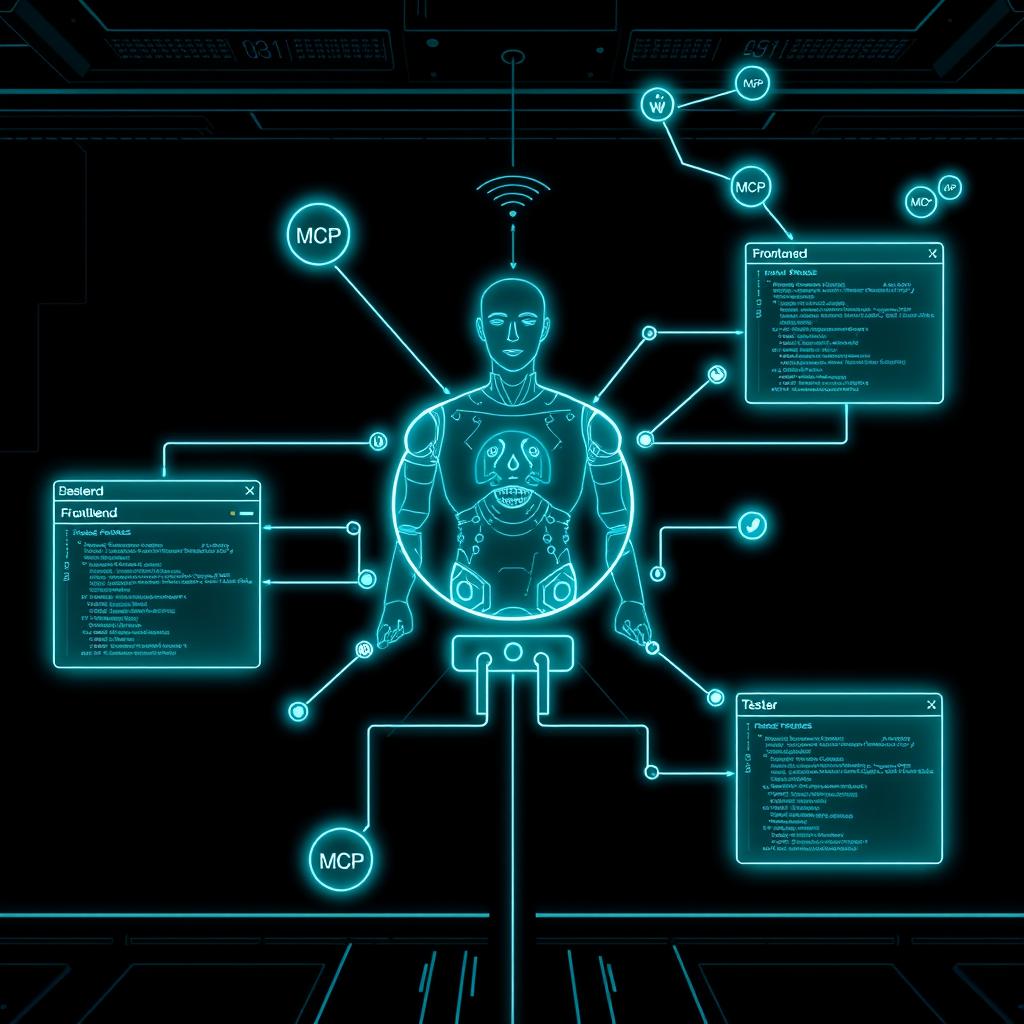
The pipeline has three layers:
User Request
    ↓
Project Manager (orchestrator agent with gating logic)
    ├── Designer Agent (Codex MCP)  →  /design/design_spec.md
    ├── Frontend Agent (Codex MCP)  →  /frontend/index.html, styles.css
    ├── Backend Agent (Codex MCP)   →  /backend/server.js, package.json
    └── Tester Agent (Codex MCP)    →  /tests/TEST_PLAN.md, test.sh
Flow:
- Project manager receives a user requirement
- Creates
REQUIREMENTS.md,TEST.md,AGENT_TASKS.mdas shared context - Hands off to Designer → produces
design_spec.md - Once design exists, parallel handoffs to Frontend and Backend
- Waits for both to produce their deliverables
- Hands off to Tester → produces test plan and test script
- Gating check at every step — no advance without verified file existence
Implementation: Setting Up the MCP Server
First, Codex CLI must run as an MCP server that the Agents SDK can connect to:
import asyncio
from agents import Agent, Runner, set_default_openai_key
from agents.mcp import MCPServerStdio
from dotenv import load_dotenv
import os

load_dotenv()
set_default_openai_key(os.getenv("OPENAI_API_KEY"))

async def main() -> None:
    async with MCPServerStdio(
        name="Codex CLI",
        params={
            "command": "codex",
            "args": ["mcp-server"],
        },
        client_session_timeout_seconds=360000,
    ) as codex_mcp:
        # Registry of sub-agents, each with a dedicated Codex session
        workers = {
            "designer": Agent(
                name="Designer",
                instructions="You are a UI designer. Use codex to create /design/design_spec.md and /design/wireframe.md. Always use approval-policy=never and sandbox=workspace-write.",
                mcp_servers=[codex_mcp],
            ),
            "frontend": Agent(
                name="Frontend Developer",
                instructions="You are a frontend developer. Use codex to create /frontend/index.html, /frontend/styles.css, and /frontend/main.js following the design spec.",
                mcp_servers=[codex_mcp],
            ),
            "backend": Agent(
                name="Backend Developer",
                instructions="You are a backend developer. Use codex to create /backend/package.json and /backend/server.js with a simple API.",
                mcp_servers=[codex_mcp],
            ),
            "tester": Agent(
                name="Tester",
                instructions="You are a QA engineer. Use codex to create /tests/TEST_PLAN.md and /tests/test.sh that verifies acceptance criteria.",
                mcp_servers=[codex_mcp],
            ),
        }

        pm = Agent(
            name="Project Manager",
            instructions=(
                "You coordinate software delivery. Your workflow:\n"
                "1. Call codex to create REQUIREMENTS.md, TEST.md, AGENT_TASKS.md\n"
                "2. Hand off to designer. Wait for /design/design_spec.md to exist.\n"
                "3. Once design exists, hand off to frontend AND backend in parallel.\n"
                "4. Wait for /frontend/index.html AND /backend/server.js to exist.\n"
                "5. Hand off to tester. Wait for /tests/TEST_PLAN.md to exist.\n"
                "Never advance without verifying file output."
            ),
            model="gpt-5",
            handoffs=list(workers.values()),
        )

        result = await Runner.run(
            pm,
            "Build a simple task management web app with a React-like frontend and Node.js backend. The app should support creating, reading, and completing tasks.",
        )
        print(result.final_output)

if __name__ == "__main__":
    asyncio.run(main())
What Broke in the First Build
Problem 1: Shared Context Window Collisions
The first attempt used a single Codex MCP server for all agents. This caused one agent’s conversation context to leak into another’s. The Designer’s wireframe work would show up in the Frontend agent’s tool calls, causing duplicate file creation and occasional hallucinated references to nonexistent design files.
Fix: Each agent needs its own Codex MCP connection. The Agents SDK’s MCPServerStdio creates a fresh process per connection, so four different codex mcp-server processes run independently. This costs more memory (~120MB per process) but guarantees context isolation.
# Correct approach: one MCPServerStdio per agent
# Each spawns an independent codex mcp-server process
async with MCPServerStdio(params={"command": "codex", "args": ["mcp-server"]}) as designer_mcp:
    async with MCPServerStdio(params={"command": "codex", "args": ["mcp-server"]}) as frontend_mcp:
        # ...
Problem 2: MCP Server Timeout on Long Sessions
The default MCP client timeout in the Agents SDK is 300 seconds. For complex tasks like “build a wireframe and design spec,” Codex runs 15-25 model-tool iterations that can exceed 5 minutes. The connection silently drops, the agent sees no response, and the workflow hangs.
Fix: Set client_session_timeout_seconds=360000 (100 hours) on each MCP server connection. This is the recommended value in the official guide OpenAI Developers, Use Codex with the Agents SDK. The MCP protocol doesn’t support heartbeat pings natively, so a generous timeout is the only defense.
Problem 3: File Gating Without Race Conditions
The PM agent was instructed to check for file existence using ls or test -f via Codex’s shell tool. But when Frontend and Backend run in parallel, the PM’s context is separate — it can’t see the files created by the other agents without a shared filesystem path.
Fix: All Codex agents run in the same working directory (the project root). File paths are absolute relative to that root. The PM’s gating check uses a simple test -f /path/to/file && echo 'exists' pattern via its own Codex tool call, which works because all agents share the host filesystem.
Gated Handoff Pattern
The gating logic is the most important architectural pattern. Here’s the simplified version:
async def verify_file(pm_agent: Agent, filepath: str) -> bool:
    """Ask the PM agent to verify a file exists before proceeding."""
    result = await Runner.run(
        pm_agent,
        f"Run 'test -f {filepath} && echo EXISTS || echo MISSING' via codex. Return only the output.",
    )
    return "EXISTS" in result.final_output

# Usage in the orchestration loop
design_done = await verify_file(pm, "/design/design_spec.md")
if not design_done:
    raise RuntimeError("Design phase failed — no design_spec.md produced")
This pattern prevents the pipeline from advancing with missing deliverables. The gating is explicit, auditable (the PM’s reasoning is visible in traces), and doesn’t require custom infrastructure — just a shell command and string parsing.
Parallel Dispatch: The Ready Queue Pattern
Once the design spec exists, Frontend and Backend can run in parallel. The Agents SDK supports this natively through its handoff mechanism with concurrent Runner.run calls:
async def parallel_dispatch(pm, frontend, backend):
    """Dispatch frontend and backend work concurrently."""
    frontend_task = asyncio.create_task(
        Runner.run(frontend, "Implement the UI based on /design/design_spec.md")
    )
    backend_task = asyncio.create_task(
        Runner.run(backend, "Implement the API described in REQUIREMENTS.md")
    )
    # Both run in parallel — no waiting between steps
    frontend_result, backend_result = await asyncio.gather(
        frontend_task, backend_task
    )
    return frontend_result, backend_result
This is the same ready-queue pattern found in workflow engines like Sim Studio and Airflow — the orchestrator maintains a set of “ready” tasks whose dependencies are met, and dispatches them concurrently NiteAgent, Inside Sim Studio’s DAG Executor. The difference is that the dependency graph is implicit in the PM agent’s instructions rather than compiled from a DAG definition.
Monitoring and Traceability
A build pipeline isn’t useful if you can’t debug failures. The Agents SDK’s tracing captures the full decision chain OpenAI Agents SDK Documentation, Tracing:
from agents import set_tracing_exporters
from agents.tracing.processors import ConsoleSpanExporter

# Enable verbose tracing for debugging
set_tracing_exporters([ConsoleSpanExporter()])
In production, pipe traces to OpenTelemetry or a dedicated tracing backend. Each handoff, each tool call, and each gating decision generates a span. When the pipeline fails at step 4 of 7, you can see exactly what the PM agent checked and why it decided the file didn’t exist.
Lessons Learned
-
One agent per Codex process, not one per project. Context isolation is non-negotiable for multi-agent pipelines. Shared contexts cause cross-contamination of tool outputs and reasoning traces.
-
Timeouts are the #1 silent failure. MCP servers don’t heartbeat. If a Codex agent takes 10 minutes to design a complex wireframe, the default client timeout kills the connection with no error recovery. Set timeouts to 100x what you expect.
-
File gating must be explicit and verifiable. The PM agent saying “I think the file exists” is not enough. Code a verification step that returns a parseable boolean —
test -fwith string matching, not natural language confirmation. -
Parallel execution requires careful shared state. Concurrent Codex agents writing to the same directory can collide on filenames. Prefix outputs by agent name:
/frontend/index.html,/backend/server.js. -
The pattern is portable. The MCP server abstraction means any tool that exposes an MCP interface can be plugged into this architecture — not just Codex CLI, but also browser automation tools, database query tools, and API gateways NiteAgent, MCP in Production: 5 Integration Patterns for AI Agents….
Next Steps
The pipeline in this build log implements the agent-flow orchestration pattern with a hub-and-spoke manager NiteAgent, Multi-Agent Systems News 2026: Orchestration Patterns T…. The natural next evolution is adding:
- Retry with backoff on failed gating checks (3 attempts, exponential backoff)
- Human-in-the-loop approval at design and test phases
- Pull request creation as the final step, with the tester’s output attached as a review comment
- Parallel Codex instances on separate machines via remote MCP servers
The full source code for this build is available in the OpenAI Cookbook reference OpenAI Developers, Use Codex with the Agents SDK. The patterns here apply to any multi-agent system where tool isolation, gated handoffs, and parallel execution matter — which is most production agent pipelines.
OpenAI Developers, Use Codex with the Agents SDK OpenAI Developers, “Use Codex with the Agents SDK,” https://developers.openai.com/codex/guides/agents-sdk
NiteAgent, Multi-Agent Systems News 2026: Orchestration Patterns T… NiteAgent, “Multi-Agent Systems News 2026: Orchestration Patterns That Survived Production,” https://niteagent.com/blog/multi-agent-production-2026/
NiteAgent, Inside Sim Studio’s DAG Executor NiteAgent, “Inside Sim Studio’s DAG Executor,” https://niteagent.com/blog/2026-06-03-sim-studio-dag-executor-architecture/
OpenAI Agents SDK Documentation, Tracing OpenAI Agents SDK Documentation, “Tracing,” https://openai.github.io/openai-agents-python/tracing/
NiteAgent, MCP in Production: 5 Integration Patterns for AI Agents… NiteAgent, “MCP in Production: 5 Integration Patterns for AI Agents in 2026,” https://niteagent.com/blog/mcp-integration-patterns-2026/
📖 Related Reads
- Hermes Tutorials — Hermes Agent setup, configuration, and advanced workflows
- ToolBrain — tool reviews, LLM comparisons, and AI workflow guides
- CodeIntel Log — code quality, debugging, and software engineering benchmarks
Cross-links automatically generated from NiteAgent.
← Back to all posts