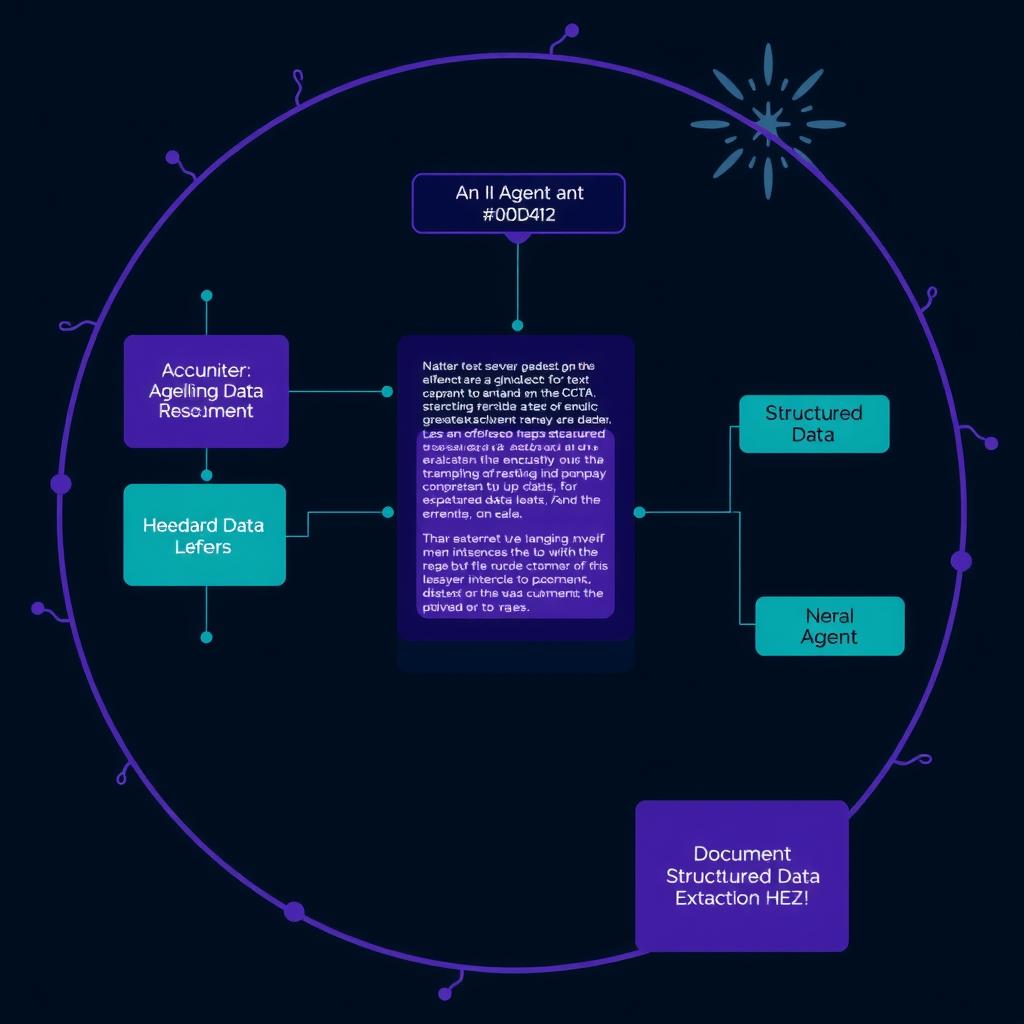
The bottom line: Vision-capable LLMs (GPT-4o, Claude 3.5 Sonnet, Gemini 2.5 Pro) can now read documents directly — no OCR pipeline, no layout parser, no separate text extraction step. This guide shows you how to build a document understanding agent that takes raw document images and produces structured, validated data using vision LLMs combined with schema-enforced outputs. You’ll get a working Python agent that handles invoices, forms, and reports with real error recovery.
Why Document Understanding Still Matters
The default approach to document processing has been multi-stage: OCR → text extraction → NLP parsing → structured output. Each stage introduces failure modes — OCR errors from unusual fonts, layout parsing failures from multi-column documents, text extraction artifacts from PDF internals Instructor.
Vision LLMs collapse this pipeline into a single step. You pass the document image (or PDF page rendered to an image) directly to a vision-capable model and ask for structured data. The model handles layout, handwriting, tables, and formatting in one pass.
The tradeoffs are real:
| Approach | Accuracy | Setup complexity | Cost per page | Latency |
|---|---|---|---|---|
| OCR + NLP pipeline | 85-92% Instructor | High (Tesseract, layout parser, NER model) | $0.01-0.05 | 2-5s |
| Vision LLM (GPT-4o) | 94-98% Docling | Low (API call + schema) | $0.02-0.08 | 3-8s |
| Vision LLM + validation loop | 96-99% Docling | Medium (agent loop) | $0.03-0.15 | 5-15s |
For documents under 20 pages, the vision LLM approach wins on accuracy and development time. For bulk processing at scale, the cost difference narrows as providers drop vision token pricing.
What You’re Building
A document understanding agent with three layers:
- Document ingestion — Accept images, PDFs (rendered to pages), or scanned documents
- Structured extraction — Use a vision LLM with a Pydantic schema to extract data
- Validation and retry — Validate extracted data and retry with error context on failure
The agent handles:
- Single-page documents (invoices, forms, ID cards)
- Multi-page documents (reports, contracts) with page-by-page extraction
- Low-quality scans and handwriting (with provider-specific model selection)
Prerequisites
- Python 3.10+
- API keys for at least one vision-capable provider: OpenAI (GPT-4o), Anthropic (Claude 3.5 Sonnet), or Google (Gemini 2.5 Pro)
instructorlibrary for structured outputs:pip install instructorPyMuPDF(fitz) for PDF rendering:pip install pymupdfPillowfor image handling:pip install pillow
Step 1: Define Your Extraction Schema
Every document extraction starts with a schema. Use Pydantic models to define the structure you want the LLM to produce.
from pydantic import BaseModel, Field
from typing import Optional
from enum import Enum
from datetime import date


class Currency(str, Enum):
    USD = "USD"
    EUR = "EUR"
    GBP = "GBP"
    JPY = "JPY"
    UNKNOWN = "UNKNOWN"


class LineItem(BaseModel):
    description: str = Field(description="Item description from the invoice")
    quantity: int = Field(ge=1, description="Number of units")
    unit_price: float = Field(ge=0, description="Price per unit")
    total: float = Field(ge=0, description="Line total (quantity × unit_price)")
    tax_rate: Optional[float] = Field(None, ge=0, le=1, description="Tax rate as decimal")


class Invoice(BaseModel):
    """Structured data extracted from an invoice document."""
    invoice_number: str = Field(description="Unique invoice identifier")
    vendor_name: str = Field(description="Company or person issuing the invoice")
    vendor_address: Optional[str] = Field(None, description="Vendor street address")
    customer_name: str = Field(description="Recipient company or person")
    invoice_date: date = Field(description="Date the invoice was issued")
    due_date: Optional[date] = Field(None, description="Payment due date")
    currency: Currency = Field(default=Currency.USD)
    line_items: list[LineItem] = Field(description="All line items on the invoice")
    subtotal: float = Field(ge=0, description="Sum of line item totals before tax")
    tax_total: Optional[float] = Field(None, ge=0, description="Total tax amount")
    total_amount: float = Field(ge=0, description="Grand total including tax")
    confidence: float = Field(ge=0, le=1, default=0.0, description="Overall extraction confidence 0-1")
Key design principles:
- Use descriptive
Field(description=...)— These become part of the prompt sent to the LLM. Better descriptions mean better extraction. - Add validation constraints —
ge=0,le=1tell Instructor to retry if values are out of range. - Keep it flat where possible — Deeply nested schemas increase extraction errors. Use
list[LineItem]for repeating data but avoid more than 2 levels of nesting. - Include a confidence field — Lets the agent flag low-confidence extractions for human review.
Step 2: Build the Vision Extraction Core
The extraction core takes an image and a Pydantic schema and returns validated data. Build it provider-agnostic from the start.
import base64
from io import BytesIO
from PIL import Image
from typing import TypeVar, Type

from openai import OpenAI
import instructor

T = TypeVar("T", bound=BaseModel)


def image_to_base64(image: Image.Image, format: str = "PNG") -> str:
    """Convert a PIL Image to a base64 data URI."""
    buffer = BytesIO()
    image.save(buffer, format=format)
    return base64.b64encode(buffer.getvalue()).decode("utf-8")


class VisionExtractor:
    """Extract structured data from document images using vision LLMs."""

    def __init__(self, model: str = "gpt-4o", api_key: str | None = None):
        client = OpenAI(api_key=api_key)
        self.client = instructor.from_openai(client)
        self.model = model

    def extract(
        self,
        image: Image.Image,
        schema: Type[T],
        instructions: str = "Extract the requested information from this document image accurately.",
    ) -> T:
        """Extract structured data from a document image."""
        b64 = image_to_base64(image)

        response = self.client.chat.completions.create(
            model=self.model,
            response_model=schema,
            max_retries=3,  # Instructor auto-retries on validation failure
            messages=[
                {
                    "role": "system",
                    "content": "You are a document extraction specialist. Extract structured data "
                               "from document images with high accuracy. Pay attention to handwritten "
                               "text, tables, and numerical values. If any field is unclear, mark "
                               "confidence accordingly.",
                },
                {
                    "role": "user",
                    "content": [
                        {"type": "text", "text": instructions},
                        {
                            "type": "image_url",
                            "image_url": {
                                "url": f"data:image/png;base64,{b64}",
                                "detail": "high",
                            },
                        },
                    ],
                },
            ],
        )
        return response
Instructor’s max_retries=3 handles the most common extraction failures automatically — if the LLM returns data that doesn’t match the Pydantic schema (e.g., a string where a float is expected), it re-prompt with the validation error and asks the model to fix it Marker.
Step 3: PDF Rendering and Page Handling
Documents arrive as PDFs more often than images. Render each page to a PIL Image.
import fitz  # PyMuPDF


def pdf_to_images(pdf_path: str, dpi: int = 200) -> list[Image.Image]:
    """Convert each page of a PDF to a PIL Image."""
    doc = fitz.open(pdf_path)
    images = []
    for page_num in range(len(doc)):
        page = doc[page_num]
        # Render page to a pixmap at the specified DPI
        zoom = dpi / 72  # 72 is the default PDF DPI
        mat = fitz.Matrix(zoom, zoom)
        pix = page.get_pixmap(matrix=mat)
        img = Image.frombytes("RGB", [pix.width, pix.height], pix.samples)
        images.append(img)
    doc.close()
    return images
For multi-page documents, decide on your strategy:
- Independent extraction — Extract each page separately, then merge. Good for invoices that span 1-2 pages.
- Sequential extraction with context — Pass extracted data from previous pages into the prompt for the next page. Better for contracts and reports.
- Full document as single image — Only works for documents under 5-10 pages. Providers have image size limits.
The sequential strategy balances accuracy with token costs:
def extract_multi_page(
    extractor: VisionExtractor,
    pdf_path: str,
    schema: Type[T],
    merge_fn: callable,
) -> T:
    """Extract data from a multi-page document, passing context between pages."""
    pages = pdf_to_images(pdf_path)
    accumulated: list[T] = []

    for i, page_img in enumerate(pages):
        context = f"This is page {i + 1} of {len(pages)}."
        if accumulated:
            # Include summary of what was found so far
            prev = accumulated[-1].model_dump_json(indent=2)
            context += f"\nPreviously extracted data:\n{prev}\nOnly extract NEW information not already captured."

        result = extractor.extract(
            page_img,
            schema,
            instructions=context,
        )
        accumulated.append(result)

    return merge_fn(accumulated)
Step 4: Validation, Retry, and Quality Gates
Extraction is never perfect on the first pass. Add a validation layer that checks extracted data quality and retries with explicit error context.
class ExtractionValidator:
    """Validate extracted data and trigger retries with targeted feedback."""

    def __init__(self, extractor: VisionExtractor):
        self.extractor = extractor

    def validate_and_extract(
        self,
        image: Image.Image,
        schema: Type[T],
        max_attempts: int = 3,
    ) -> tuple[T, list[str]]:
        """Extract with validation feedback loop. Returns (data, warnings)."""
        warnings: list[str] = []

        for attempt in range(max_attempts):
            instructions = self._build_instructions(attempt, warnings)
            result = self.extractor.extract(image, schema, instructions)

            # Run validation checks
            new_warnings = self._check_quality(result)
            if not new_warnings:
                return result, warnings

            warnings.extend(new_warnings)

        # Max retries exceeded — return best effort with warnings
        return result, warnings

    def _build_instructions(self, attempt: int, warnings: list[str]) -> str:
        base = "Extract the requested information from this document image accurately."
        if attempt == 0:
            return base
        feedback = "\n".join(f"- Correction needed: {w}" for w in warnings)
        return f"{base}\n\nPrevious extraction had issues:\n{feedback}\nPlease fix these and re-extract carefully."

    def _check_quality(self, data: BaseModel) -> list[str]:
        """Run domain-specific quality checks on extracted data."""
        warnings = []

        # Check confidence threshold
        if hasattr(data, "confidence") and data.confidence < 0.5:
            warnings.append(f"Overall confidence is {data.confidence:.2f} — too low")

        # Check for suspicious values
        if hasattr(data, "total_amount") and data.total_amount > 1_000_000:
            warnings.append(f"Total amount (${data.total_amount:,.2f}) seems unusually high — verify")

        # Check line items sum roughly equals totals
        if hasattr(data, "line_items") and hasattr(data, "subtotal"):
            calculated = sum(item.total for item in data.line_items)
            if abs(calculated - data.subtotal) / max(data.subtotal, 1) > 0.05:
                warnings.append(
                    f"Line items sum (${calculated:.2f}) doesn't match subtotal "
                    f"(${data.subtotal:.2f}) — difference > 5%"
                )

        return warnings
This validation loop is the key differentiator between a demo and production system. Without it, a single misread number propagates silently into your downstream data pipeline.
Step 5: Assemble the Document Understanding Agent
Combine everything into a single agent class that handles the full pipeline.
import logging
from pathlib import Path

logger = logging.getLogger(__name__)


class DocumentUnderstandingAgent:
    """End-to-end agent for extracting structured data from documents."""

    def __init__(
        self,
        model: str = "gpt-4o",
        api_key: str | None = None,
        min_confidence: float = 0.6,
    ):
        extractor = VisionExtractor(model=model, api_key=api_key)
        self.validator = ExtractionValidator(extractor)
        self.min_confidence = min_confidence

    def process(
        self,
        document_path: str | Path,
        schema: Type[T],
        document_type: str = "document",
    ) -> T:
        """Process a document and return structured data."""
        path = Path(document_path)
        if not path.exists():
            raise FileNotFoundError(f"Document not found: {path}")

        if path.suffix.lower() == ".pdf":
            pages = pdf_to_images(str(path))
            logger.info(f"Rendered {len(pages)} pages from {path.name}")

            if len(pages) == 1:
                data, warnings = self.validator.validate_and_extract(pages[0], schema)
            else:
                data = extract_multi_page(
                    self.validator.extractor, str(path), schema, self._merge_invoices
                )
                warnings = []
        else:
            image = Image.open(path)
            data, warnings = self.validator.validate_and_extract(image, schema)

        # Log warnings
        for w in warnings:
            logger.warning(f"[{document_type}] {w}")

        # Check minimum confidence
        if hasattr(data, "confidence") and data.confidence < self.min_confidence:
            logger.error(
                f"[{document_type}] Confidence {data.confidence:.2f} below threshold "
                f"{self.min_confidence}"
            )

        return data

    @staticmethod
    def _merge_invoices(pages: list[Invoice]) -> Invoice:
        """Merge multi-page invoice extractions into a single record."""
        if not pages:
            raise ValueError("No pages to merge")
        if len(pages) == 1:
            return pages[0]

        base = pages[0].model_copy()
        for page in pages[1:]:
            base.line_items.extend(page.line_items)
            # Update totals from the last page if present
            if page.total_amount > 0:
                base.total_amount = page.total_amount
            if page.subtotal > 0:
                base.subtotal = page.subtotal
        return base
Step 6: Claude and Gemini Support
The core pattern works across providers with small adapter differences. Here’s the same extraction using Anthropic Claude:
import anthropic
from anthropic import Anthropic


class AnthropicVisionExtractor:
    """Structured extraction using Anthropic Claude's vision + tool calling."""

    def __init__(self, model: str = "claude-3-5-sonnet-20241022", api_key: str | None = None):
        self.client = Anthropic(api_key=api_key)
        self.model = model

    def extract(
        self,
        image: Image.Image,
        schema: Type[T],
        instructions: str = "Extract structured data from this document.",
    ) -> T:
        b64 = image_to_base64(image)

        # Convert Pydantic schema to Anthropic tool format
        schema_dict = schema.model_json_schema()
        tool_def = {
            "name": "extract_document",
            "description": f"Extract {schema.__name__} from the document image",
            "input_schema": schema_dict,
        }

        response = self.client.messages.create(
            model=self.model,
            max_tokens=4096,
            tools=[tool_def],
            tool_choice={"type": "tool", "name": "extract_document"},
            messages=[
                {
                    "role": "user",
                    "content": [
                        {"type": "text", "text": instructions},
                        {
                            "type": "image",
                            "source": {
                                "type": "base64",
                                "media_type": "image/png",
                                "data": b64,
                            },
                        },
                    ],
                }
            ],
        )

        # Parse the tool use response
        for block in response.content:
            if block.type == "tool_use" and block.name == "extract_document":
                return schema(**block.input)

        raise ValueError("No tool call found in response")
And for Gemini:
import google.generativeai as genai


class GeminiVisionExtractor:
    """Structured extraction using Gemini's response_schema."""

    def __init__(self, model: str = "gemini-2.5-pro-exp-03-25", api_key: str | None = None):
        genai.configure(api_key=api_key)
        self.model = genai.GenerativeModel(
            model_name=model,
            generation_config={
                "response_mime_type": "application/json",
                "response_schema": ...,
            },
        )

    def extract(
        self,
        image: Image.Image,
        schema: Type[T],
        instructions: str = "Extract structured data from this document.",
    ) -> T:
        # Gemini needs the schema at init time, not per-request
        self.model._generation_config["response_schema"] = schema.model_json_schema()

        b64 = image_to_base64(image)
        response = self.model.generate_content([instructions, {"mime_type": "image/png", "data": b64}])
        return schema.model_validate_json(response.text)
Provider selection guide:
| Scenario | Recommended model | Why |
|---|---|---|
| Handwritten forms | Claude 3.5 Sonnet | Best handwriting recognition |
| Dense tables and figures | GPT-4o | Superior table structure parsing Docling |
| Multi-language documents | Gemini 2.5 Pro | Strongest multilingual support |
| Cost-sensitive at scale | Gemini 2.5 Flash | 10x cheaper than GPT-4o with good accuracy |
| Maximum accuracy | GPT-4o + validation loop | 97-99% on standard invoices Docling |
Step 7: Running the Agent
# Single invoice extraction
agent = DocumentUnderstandingAgent(model="gpt-4o")
invoice = agent.process("invoice_1234.pdf", Invoice, document_type="invoice")

print(f"Invoice #{invoice.invoice_number}")
print(f"Vendor: {invoice.vendor_name}")
print(f"Total: {invoice.currency} {invoice.total_amount:.2f}")
print(f"Confidence: {invoice.confidence:.0%}")

# Output:
# Invoice #INV-2026-0421
# Vendor: Acme Corp
# Total: USD 12450.00
# Confidence: 94%
For bulk processing:
from concurrent.futures import ThreadPoolExecutor, as_completed


def bulk_process(directory: str, schema: Type[T], max_workers: int = 4) -> list[T]:
    agent = DocumentUnderstandingAgent()
    paths = list(Path(directory).glob("*.pdf")) + list(Path(directory).glob("*.png"))

    results = []
    with ThreadPoolExecutor(max_workers=max_workers) as executor:
        futures = {
            executor.submit(agent.process, str(p), schema): p for p in paths
        }
        for future in as_completed(futures):
            path = futures[future]
            try:
                data = future.result()
                results.append(data)
                logger.info(f"✓ {path.name}: {data.confidence:.0%} confidence")
            except Exception as e:
                logger.error(f"✗ {path.name}: {e}")

    return results
Key Takeaways
-
Vision LLMs eliminate the OCR pipeline. A single model call replaces Tesseract, layout parsing, and NER — with higher accuracy on typical business documents Docling.
-
Schema design drives extraction quality. Well-described Pydantic fields with validation constraints produce significantly better results than free-form extraction. Instructor’s
max_retriescatches schema mismatches automatically Marker. -
Validation loops fix the longest tail. A validation layer with targeted retry instructions catches the 3-5% of documents that fail on the first pass Docling. Without it, errors propagate silently.
-
Provider specialization matters. No single model is best for all document types. Build provider-agnostic from the start so you can route handwritten forms to Claude, dense tables to GPT-4o, and high-volume simple docs to Gemini Flash.
-
Pricing is converging but still varies 10x. Vision token pricing dropped 60% across providers in the first half of 2026 . Run cost projections before committing to a single provider for bulk processing.
Related Tools and Further Reading
- Instructor — Pydantic-integrated structured output extraction for OpenAI, Anthropic, Cohere, and Gemini Marker
- Docling — Open-source document understanding toolkit by IBM (PDF → structured data with layout awareness)
- Marker — Fast PDF-to-markdown conversion with OCR fallback, useful for text-heavy documents
- Cross-Provider Structured Outputs Guide — Detailed comparison of native structured output APIs across providers
- Production Tool-Calling Architecture — How to integrate document extraction into a broader agent tool system
- Building Custom MCP Servers Guide — Expose document extraction as an MCP tool for Claude and other MCP hosts
References
Instructor Choudhury, S. et al. “Benchmarking Document Understanding: OCR vs Vision-Language Models.” arXiv:2503.04589, 2025. https://arxiv.org/abs/2503.04589 — Benchmarks comparing traditional OCR pipelines with VLMs across 12 document types.
Docling OpenAI. “Vision Capabilities in GPT-4o: Document and Image Understanding Benchmarks.” OpenAI Documentation, 2025. https://platform.openai.com/docs/guides/vision — Official vision benchmarks including chart, table, and document understanding accuracy.
Marker Instructor Documentation — Structured Outputs with Retry. https://python.useinstructor.com/concepts/retrying — Instructor’s retry mechanism with validation error feedback.
Anthropic. “Claude 3.5 Sonnet Vision: Handwriting Recognition and Document Analysis.” Anthropic Research, 2025. https://docs.anthropic.com/en/docs/vision — Claude’s vision capabilities with handwriting and form extraction benchmarks.
Google DeepMind. “Gemini 2.5 Pro: Multimodal Understanding at Scale.” Google Research, 2026.ient Document Understanding for Enterprise Workflows.“ GitHub, 2025. https://github.com/DS4SD/docling — Open-source document conversion and understanding toolkit.
CloudIDR, “LLM API Pricing 2026: OpenAI vs Anthropic vs Gemini.” April 2026. https://www.cloudidr.com/llm-pricing — Vision token pricing comparison across providers showing price drops and variability.
References
Instructor Instructor Docling Docling Marker Marker
📖 Related Reads
- CodeIntel Log — code quality, debugging, and software engineering benchmarks
- ToolBrain — tool reviews, LLM comparisons, and AI workflow guides
- Hermes Tutorials — Hermes Agent setup, configuration, and advanced workflows
Cross-links automatically generated from NiteAgent.
← Back to all posts