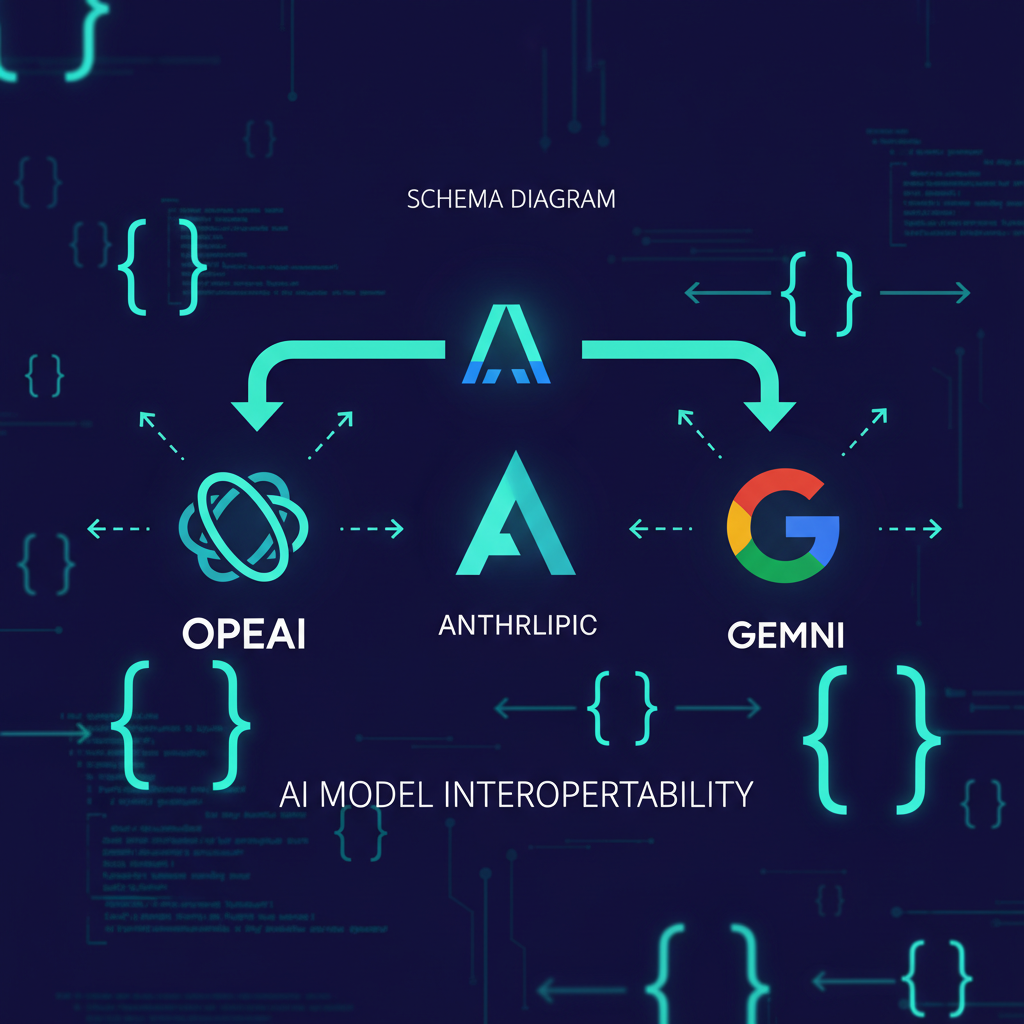
The bottom line: Getting reliable structured data from LLMs requires more than a “respond in JSON” prompt. This guide covers the three mechanisms across OpenAI, Anthropic, and Google Gemini — JSON mode, structured outputs (constrained decoding), and function calling — with production-grade code examples, provider-specific gotchas, and a decision framework for choosing the right approach.
Why Structured Outputs Matter
Every production LLM pipeline needs structured data downstream — a database insert, an API call, a UI render. Without guaranteed schema compliance, every output needs validation, retry logic, and fallback handling. That’s technical debt you ship on day one.
Three mechanisms exist for getting structured data from LLMs, and they are not interchangeable:
- JSON Mode — Tells the model to produce valid JSON syntax. No schema enforcement.
- Structured Outputs — Constrained decoding that guarantees the output matches a JSON Schema. Types, field names, required fields — all enforced at generation time.
- Function Calling — The model emits a tool call with structured parameters that you execute. For agent workflows, not data extraction.
The distinction matters because each carries different guarantees, latency profiles, and failure modes OpenAI, Structured Outputs GuideBuildMVPFast, JSON Mode vs Function Calling vs Structured Output:…. In 2026, every major provider supports all three — but the implementation details differ in ways that break naive cross-provider code.
Provider-by-Provider Implementation
OpenAI: Structured Outputs (Responses API)
OpenAI’s Structured Outputs feature uses constrained sampling at the token level. The model literally cannot output tokens that would violate the schema — it’s not a validation step, it’s a generation constraint OpenAI, Structured Outputs Guide.
Use the Responses API (not Chat Completions) for the cleanest interface:
from openai import OpenAI

client = OpenAI()

response = client.responses.create(
    model="gpt-5.4-mini",
    input="Extract: John ([email protected]) wants Enterprise plan.",
    text={
        "format": {
            "type": "json_schema",
            "name": "contact_extraction",
            "strict": True,
            "schema": {
                "type": "object",
                "properties": {
                    "name": {"type": "string"},
                    "email": {"type": "string"},
                    "plan": {"type": "string", "enum": ["Free", "Pro", "Enterprise"]},
                    "priority": {"type": "boolean"}
                },
                "required": ["name", "email", "plan", "priority"],
                "additionalProperties": False
            }
        }
    }
)

# The response is guaranteed to match the schema
import json
data = json.loads(response.output_text)
print(data)
Key rules for OpenAI strict mode:
additionalProperties: falseis mandatory on every object- Every property in
requiredarray must exist — no optional fields - Enum values must be strings (not integers)
$refis not allowed — inline all schemas- Safety refusals return a
refusalfield instead of schema-compliant output
OpenAI also offers a .parse() SDK helper that accepts Pydantic or Zod models directly OpenAI, Structured Outputs Guide:
from pydantic import BaseModel
from openai import OpenAI

client = OpenAI()

class Contact(BaseModel):
    name: str
    email: str
    plan: str
    priority: bool

response = client.responses.parse(
    model="gpt-5.4-mini",
    input="Extract: John ([email protected]) wants Enterprise plan.",
    text_format=Contact,
)
print(response.output_parsed)  # Already a Contact instance
When to use which: Use responses.create with raw schema for dynamic schemas (user-defined fields). Use .parse() with Pydantic for fixed schemas you define at build time.
Anthropic Claude: JSON Outputs via output_config
Anthropic’s structured outputs work through the output_config.format parameter. Claude uses grammar-constrained sampling to guarantee schema compliance Anthropic, Structured Outputs - Claude API Docs:
import anthropic

client = anthropic.Anthropic()

response = client.messages.create(
    model="claude-sonnet-4-6",
    max_tokens=1024,
    messages=[{
        "role": "user",
        "content": "Extract: John ([email protected]) wants Enterprise plan."
    }],
    output_config={
        "format": {
            "type": "json_schema",
            "schema": {
                "type": "object",
                "properties": {
                    "name": {"type": "string"},
                    "email": {"type": "string"},
                    "plan": {"type": "string", "enum": ["Free", "Pro", "Enterprise"]},
                    "priority": {"type": "boolean"}
                },
                "required": ["name", "email", "plan", "priority"],
                "additionalProperties": False
            }
        }
    }
)

data = json.loads(response.content[0].text)
Anthropic’s SDK also supports Pydantic via client.messages.parse():
from pydantic import BaseModel
import anthropic

client = anthropic.Anthropic()

class Contact(BaseModel):
    name: str
    email: str
    plan: str
    priority: bool

response = client.messages.parse(
    model="claude-sonnet-4-6",
    max_tokens=1024,
    messages=[{
        "role": "user",
        "content": "Extract: John ([email protected]) wants Enterprise plan."
    }],
    output_format=Contact,
)
print(response.parsed_output)  # Contact instance
Critical Claude gotcha: The SDK silently transforms your schema before sending. Constraints like minimum, maximum, minLength, maxLength are stripped from the schema and moved into the description field as plain text Anthropic, Structured Outputs - Claude API Docs. The constrained decoder cannot enforce them. The SDK validates against the original schema after generation and retries if constraints fail — but retries cost time and tokens.
Workaround: For numeric constraints that must be enforced at generation time, express them as enum values (e.g., "enum": [1, 2, 3, 4, 5] for a 1-5 rating) rather than relying on minimum/maximum.
Google Gemini: Unified JSON + Schema
Gemini handles structured output through a single unified parameter — set response_mime_type to application/json and optionally pass a response_json_schema Google AI, Gemini API Structured Outputs:
import google.generativeai as genai

client = genai.GenerativeModel("gemini-2.5-flash")

response = client.generate_content(
    "Extract: John ([email protected]) wants Enterprise plan.",
    generation_config=genai.GenerationConfig(
        response_mime_type="application/json",
        response_schema={
            "type": "object",
            "properties": {
                "name": {"type": "string"},
                "email": {"type": "string"},
                "plan": {"type": "string", "enum": ["Free", "Pro", "Enterprise"]},
                "priority": {"type": "boolean"}
            },
            "required": ["name", "email", "plan", "priority"]
        }
    )
)

data = json.loads(response.text)
Gemini specifics:
- Without a schema, Gemini uses JSON mode (valid JSON only, no structure guarantee)
- With a schema, Gemini uses constrained decoding — but property ordering follows schema key order Google AI, Gemini API Structured Outputs
- No
additionalProperties: falserequirement — Gemini ignores extra keys in response requiredis respected but not enforced as strictly as OpenAI/Anthropic — validate after parsing- Best for rapid prototyping; add validation for production
Local Models: Outlines and Constrained Decoding
If you’re running local models (Ollama, llama.cpp, vLLM), the constrained decoding happens outside the model via libraries like Outlines Outlines, Constrained Language Generation:
from outlines import models, generate

# Load a local model
model = models.ollama("qwen3:14b")

# Define schema
schema = {
    "type": "object",
    "properties": {
        "sentiment": {"type": "string", "enum": ["positive", "negative", "neutral"]},
        "confidence": {"type": "number"}
    },
    "required": ["sentiment", "confidence"]
}

generator = generate.json(model, schema)

result = generator("Analyze: This product is amazing.")
print(result)
# {"sentiment": "positive", "confidence": 0.95}
Outlines modifies the logit sampling at each token step — it masks tokens that would violate the schema, so the only valid next tokens are schema-compliant ones Outlines, Constrained Language Generation. This is the same technique OpenAI and Anthropic use internally, just applied at the application layer.
Decision Framework
| If you need… | Use… | Notes |
|---|---|---|
| Guaranteed schema match, no retries | Structured Outputs (OpenAI/Anthropic) | Constrained decoding — tightest guarantee |
| Rapid prototyping, flexible schema | JSON Mode (any provider) | Validate + retry in production |
| Action execution (search, DB write) | Function Calling | Not for data extraction |
| Local model, no API dependency | Outlines / XGrammar | Add ~50ms per generation |
| Cross-provider abstraction | LiteLLM proxy with structured output routing | Uniform interface, provider fallback |
The production default: Structured Outputs for anything consuming the output programmatically. JSON Mode only for human-facing content where schema violations are cosmetic. Function Calling only when the output triggers a side effect.
Handling Edge Cases
Safety Refusals Break Schema Guarantees
Even with constrained decoding, safety filters can return a non-schema response. OpenAI returns a refusal field. Anthropic’s models may refuse entirely. Always handle:
def safe_parse(response, model_class):
    """Parse structured output with refusal handling."""
    if hasattr(response, 'refusal') and response.refusal:
        raise ValueError(f"Model refused: {response.refusal}")
    if hasattr(response, 'output_parsed'):
        return response.output_parsed
    if hasattr(response, 'parsed_output'):
        return response.parsed_output
    # Fall back to manual JSON parsing
    text = response.output_text if hasattr(response, 'output_text') else response.content[0].text
    return model_class(**json.loads(text))
Schema Migrations Across Provider Versions
Provider schemas evolve. A schema that works on gpt-5.4 might fail on gpt-5.5 if additionalProperties enforcement changes. Pin your model version and run a schema compatibility test in CI BuildMVPFast, JSON Mode vs Function Calling vs Structured Output:…:
def test_schema_compatibility(client, model, schema):
    """Verify a schema produces valid output."""
    response = client.responses.create(
        model=model,
        input="test",
        text={"format": {"type": "json_schema", "name": "test", "strict": True, "schema": schema}}
    )
    assert response.output_text, "Empty response"
    data = json.loads(response.output_text)
    for key in schema["required"]:
        assert key in data, f"Missing required field: {key}"
Summary
| Feature | OpenAI | Anthropic | Gemini | Local (Outlines) |
|---|---|---|---|---|
| Structured Outputs | ✅ strict mode | ✅ grammar-constrained | ✅ with schema | ✅ constrained decoding |
| JSON Mode | ✅ | ✅ (via prompt) | ✅ native | ✅ via prompt |
| Function Calling | ✅ native | ✅ native, strict option | ✅ tool use | ✅ tool calling |
| SDK typed parse | ✅ Pydantic/Zod | ✅ Pydantic/Zod | ❌ manual JSON | ❌ manual JSON |
| Schema constraint stripping | ❌ | ✅ (minimum/maximum) | ❌ | ❌ |
| additionalProperties required | ✅ | ✅ | ❌ | varies |
| Refusal handling | ✅ structured | ❌ check text | ❌ | N/A |
The ecosystem has converged on structured outputs as the standard — every major provider supports constrained decoding of some form. The differences are in the sharp edges: which constraints are enforced at generation time vs post-hoc, how refusals are signaled, and how SDKs transform your schema.
Pin your provider versions, test schema compatibility in CI, and always handle the refusal case. Structured outputs eliminate the JSON parsing failure class, but they don’t eliminate the need for defensive production code.
OpenAI, Structured Outputs Guide OpenAI, “Structured Outputs Guide,” https://developers.openai.com/api/docs/guides/structured-outputs
BuildMVPFast, JSON Mode vs Function Calling vs Structured Output:… BuildMVPFast, “JSON Mode vs Function Calling vs Structured Output: 2026 Guide,” https://www.buildmvpfast.com/blog/structured-output-llm-json-mode-function-calling-production-guide-2026
Anthropic, Structured Outputs - Claude API Docs Anthropic, “Structured Outputs - Claude API Docs,” https://platform.claude.com/docs/en/build-with-claude/structured-outputs
Google AI, Gemini API Structured Outputs Google AI, “Gemini API Structured Outputs,” https://ai.google.dev/gemini-api/docs/structured-output
Outlines, Constrained Language Generation Outlines, “Constrained Language Generation,” https://dottxt-ai.github.io/outlines/latest/
📖 Related Reads
- Hermes Tutorials — Hermes Agent setup, configuration, and advanced workflows
- ToolBrain — tool reviews, LLM comparisons, and AI workflow guides
- CodeIntel Log — code quality, debugging, and software engineering benchmarks
Cross-links automatically generated from NiteAgent.
← Back to all posts